For data teams
You look after the data. We’ll handle the dashboard.
Offer self-serve analytics directly in your team’s preferred AI client and get back to modeling.
We tested Bonnard against some of the most popular BI tools.
Correct answers
+26% accuracy
vs the average of six BI MCP servers, same 20 questions
Time per answer
42% faster
22s vs 38s for the next fastest
Tool output per answer
13k tokens
Next lowest: 25k
Against six other BI products we tested
20 business questions, 3 tries each, on a dbt-built warehouse with metric definitions loaded.
Method on requestSelf-serve
Let users help themselves reliably
Users can build, save and share everything from a quick chart to a full dashboard just by asking in plain language.
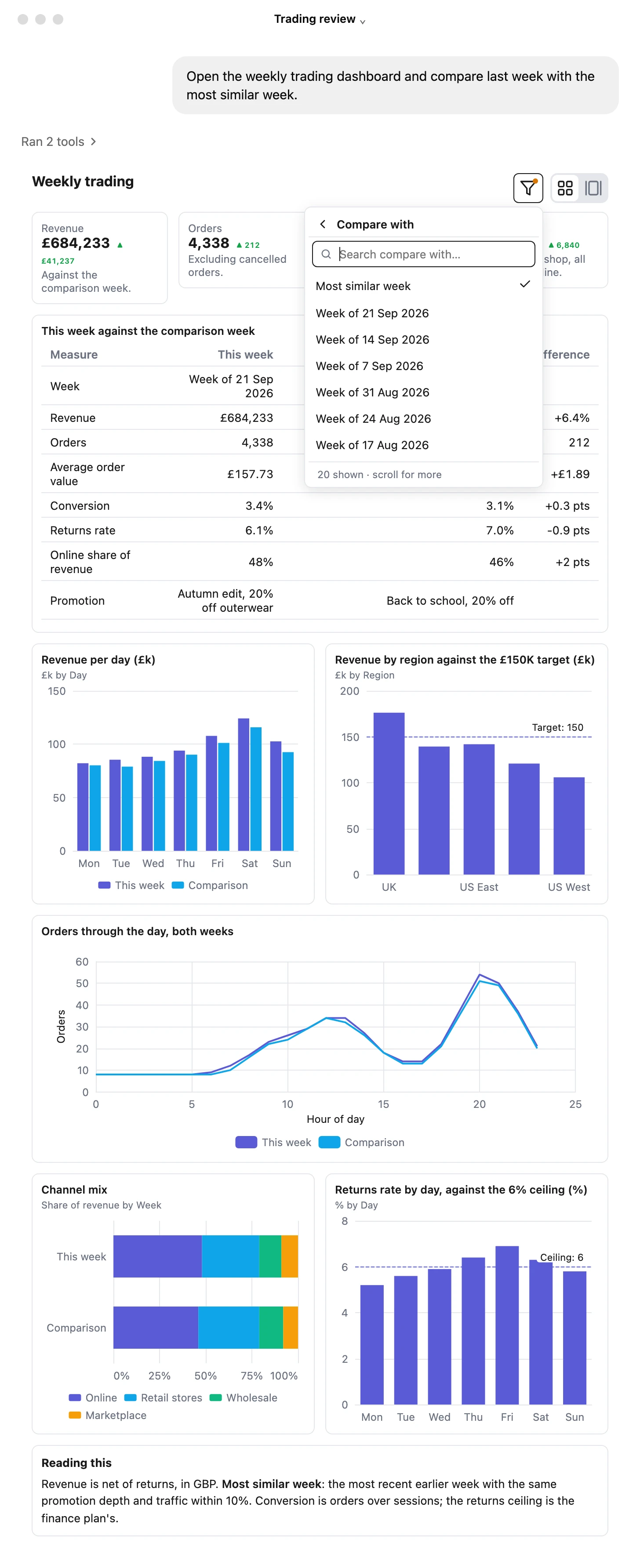
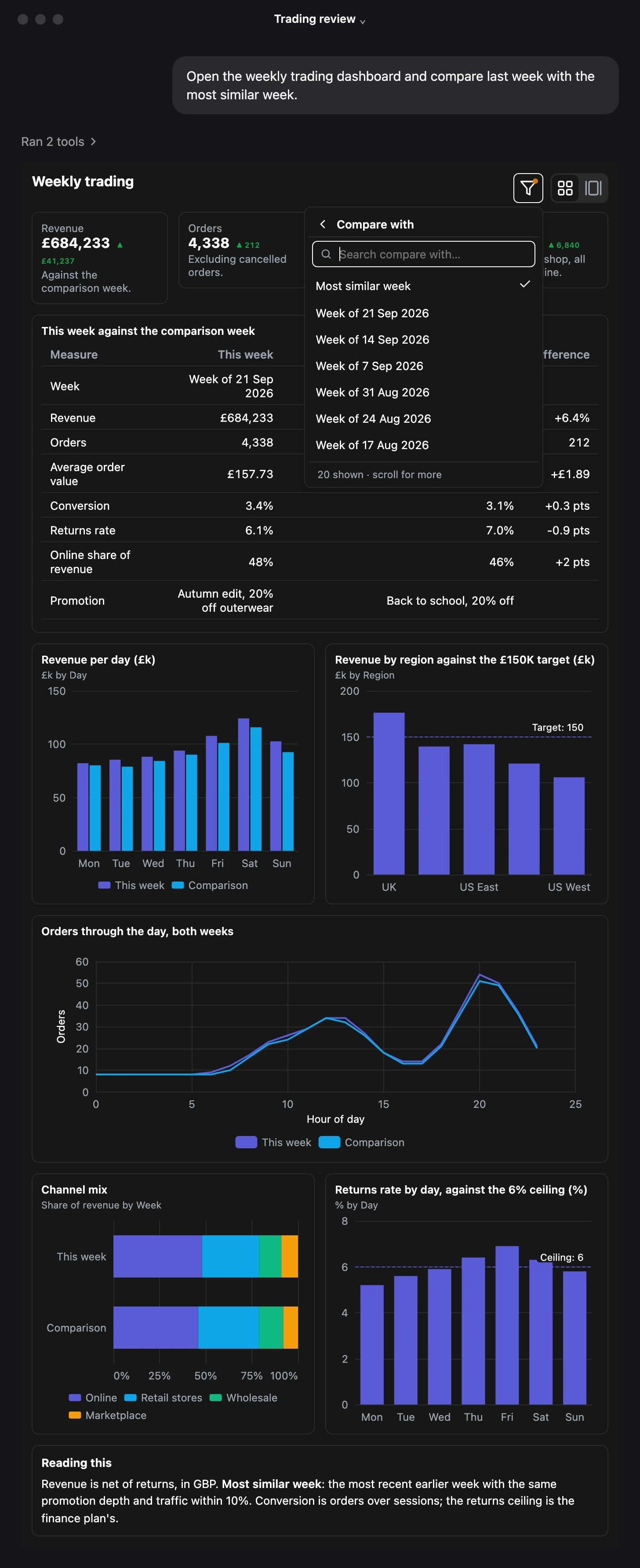
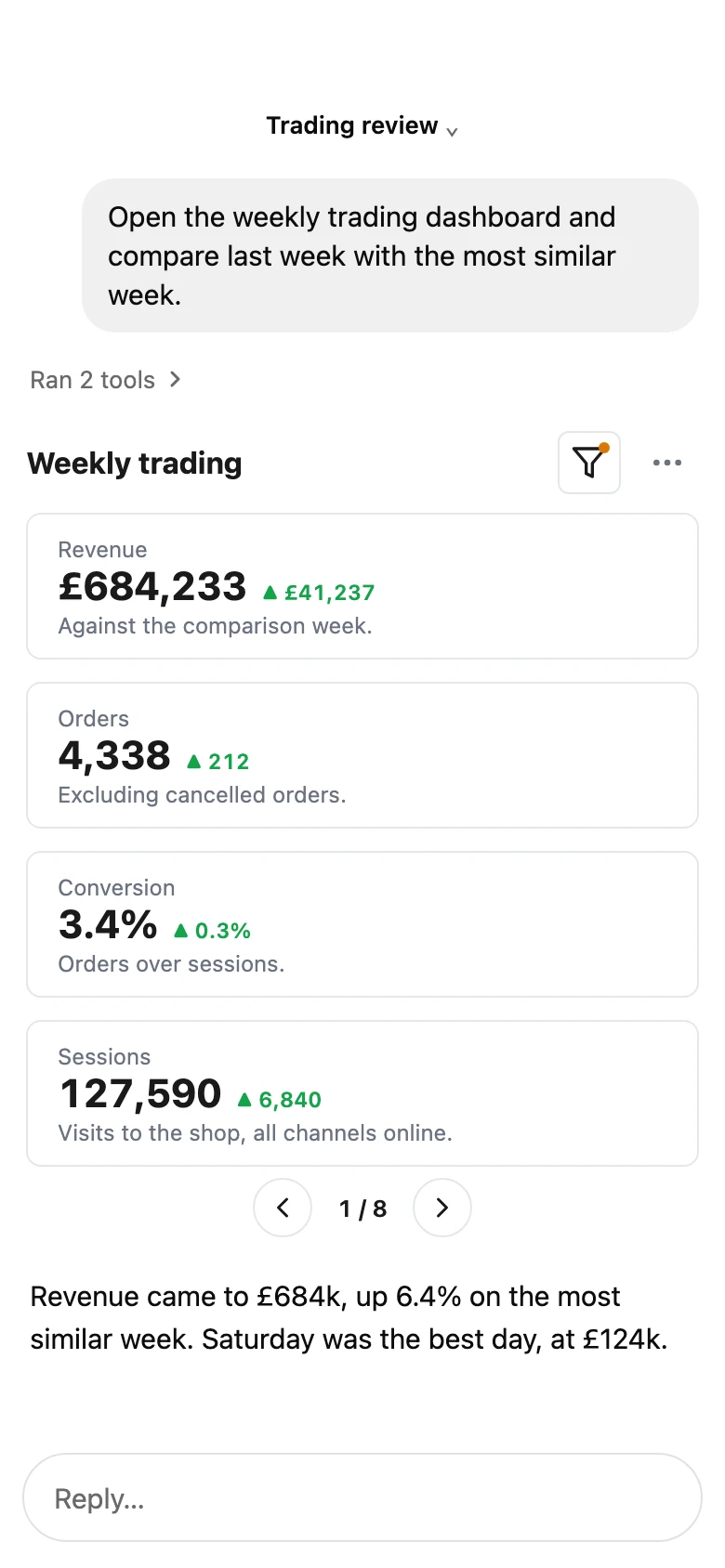
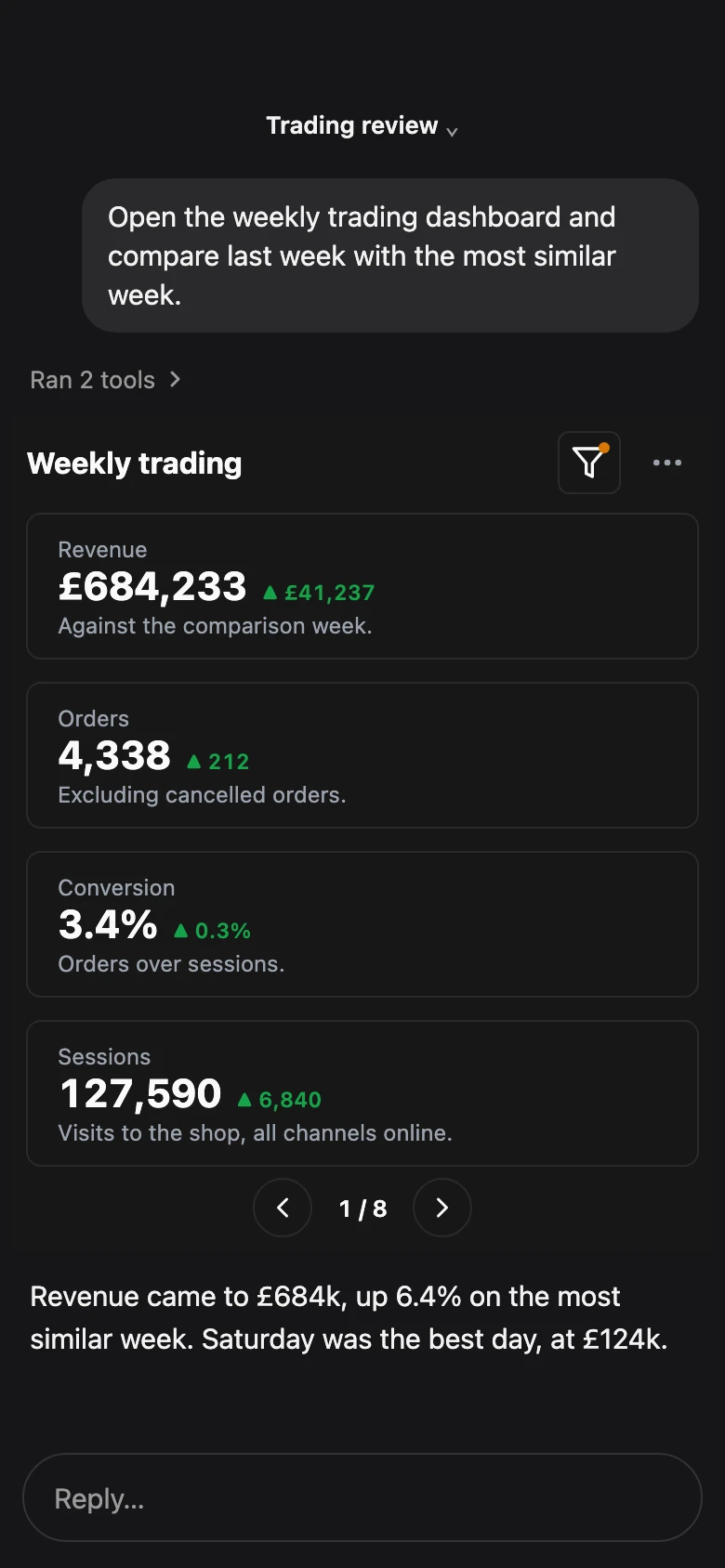
Dashboards. Saved and shared, with filters.
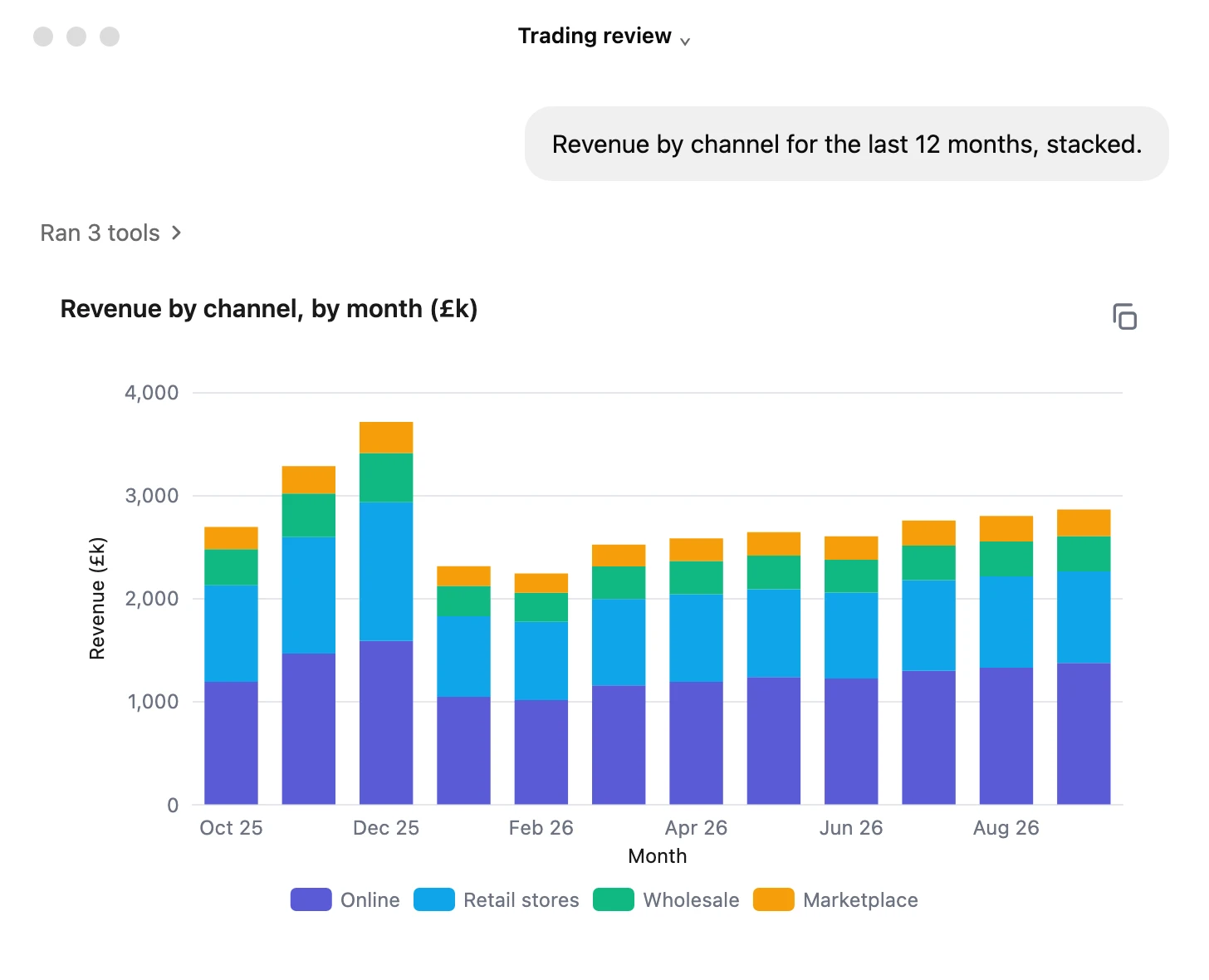
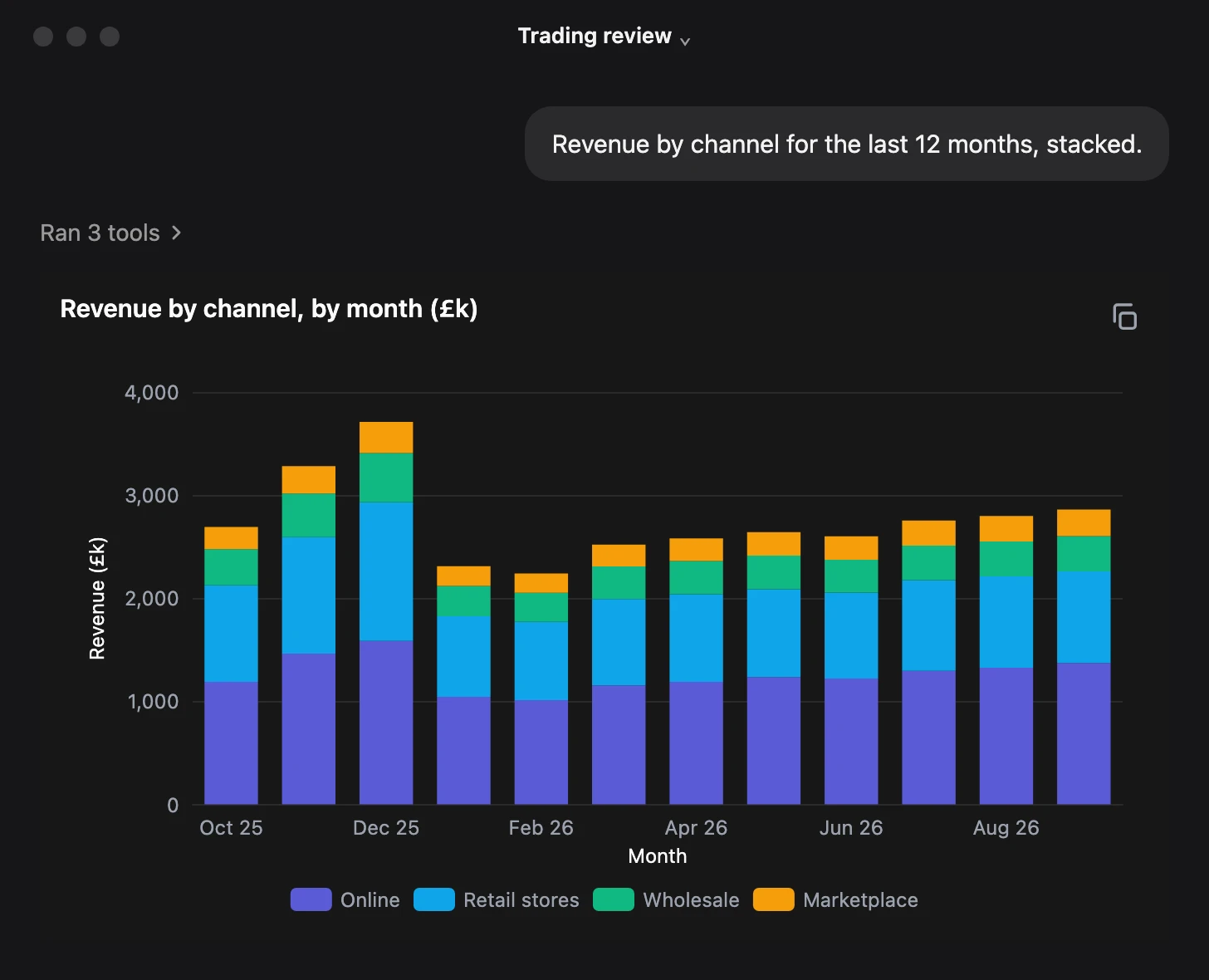
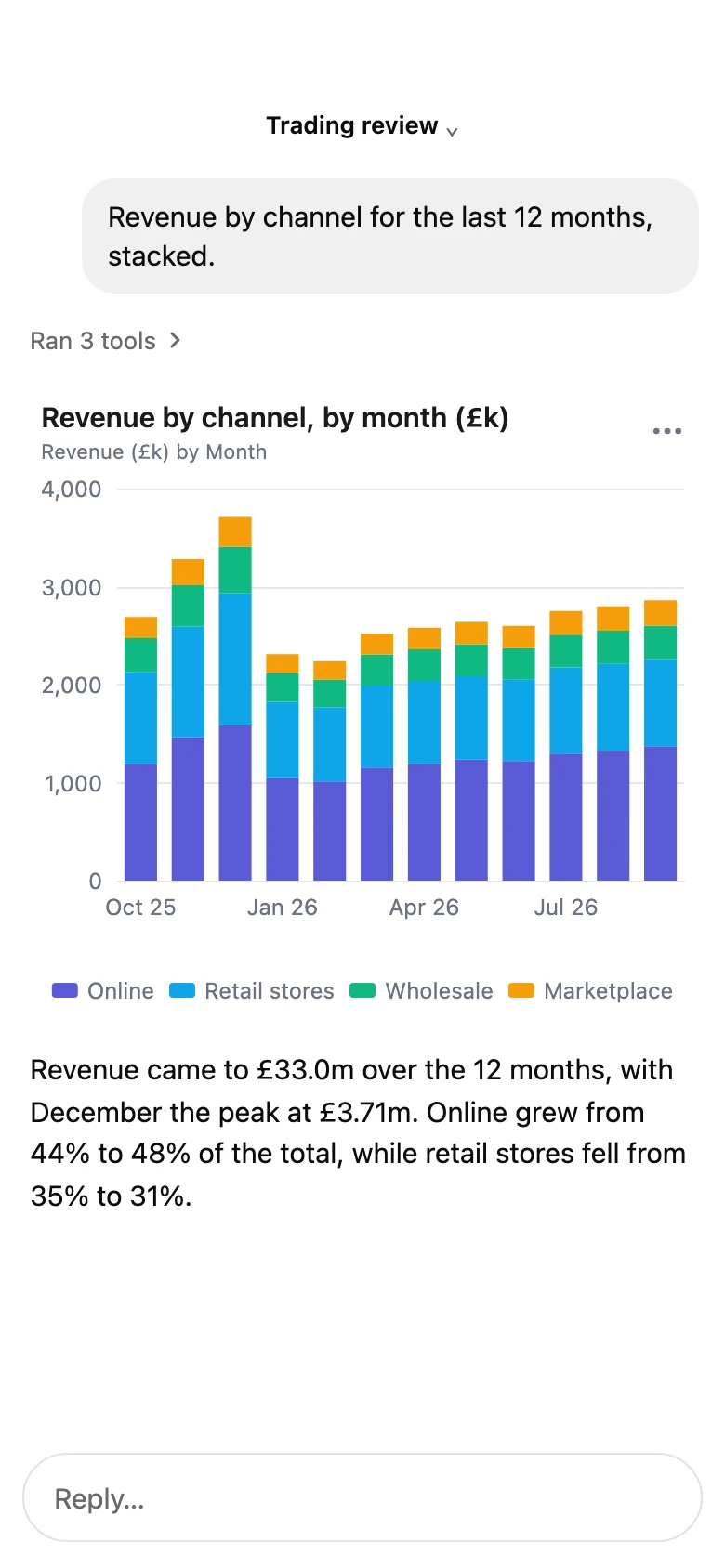
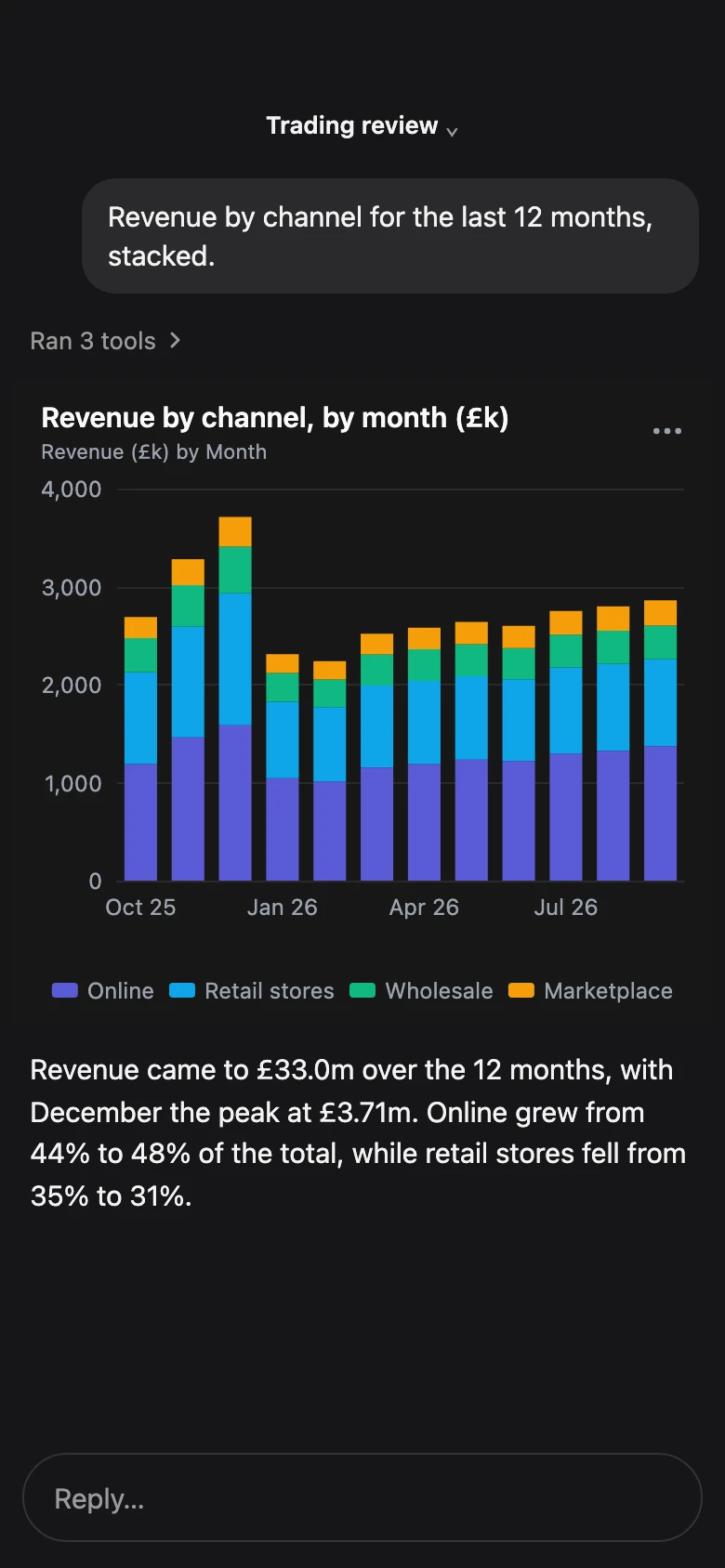
Stacked bars. Stacked, grouped or side by side.
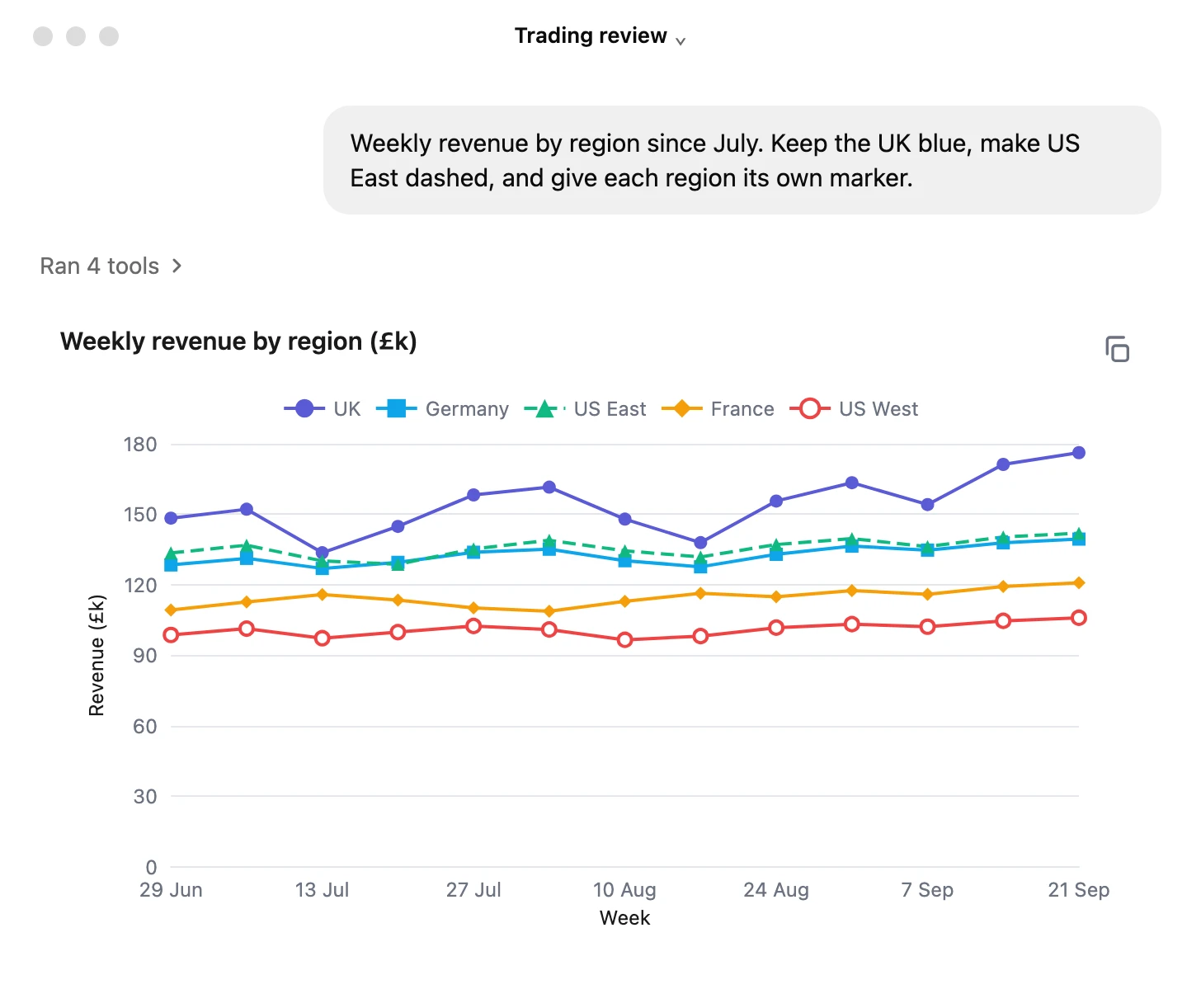
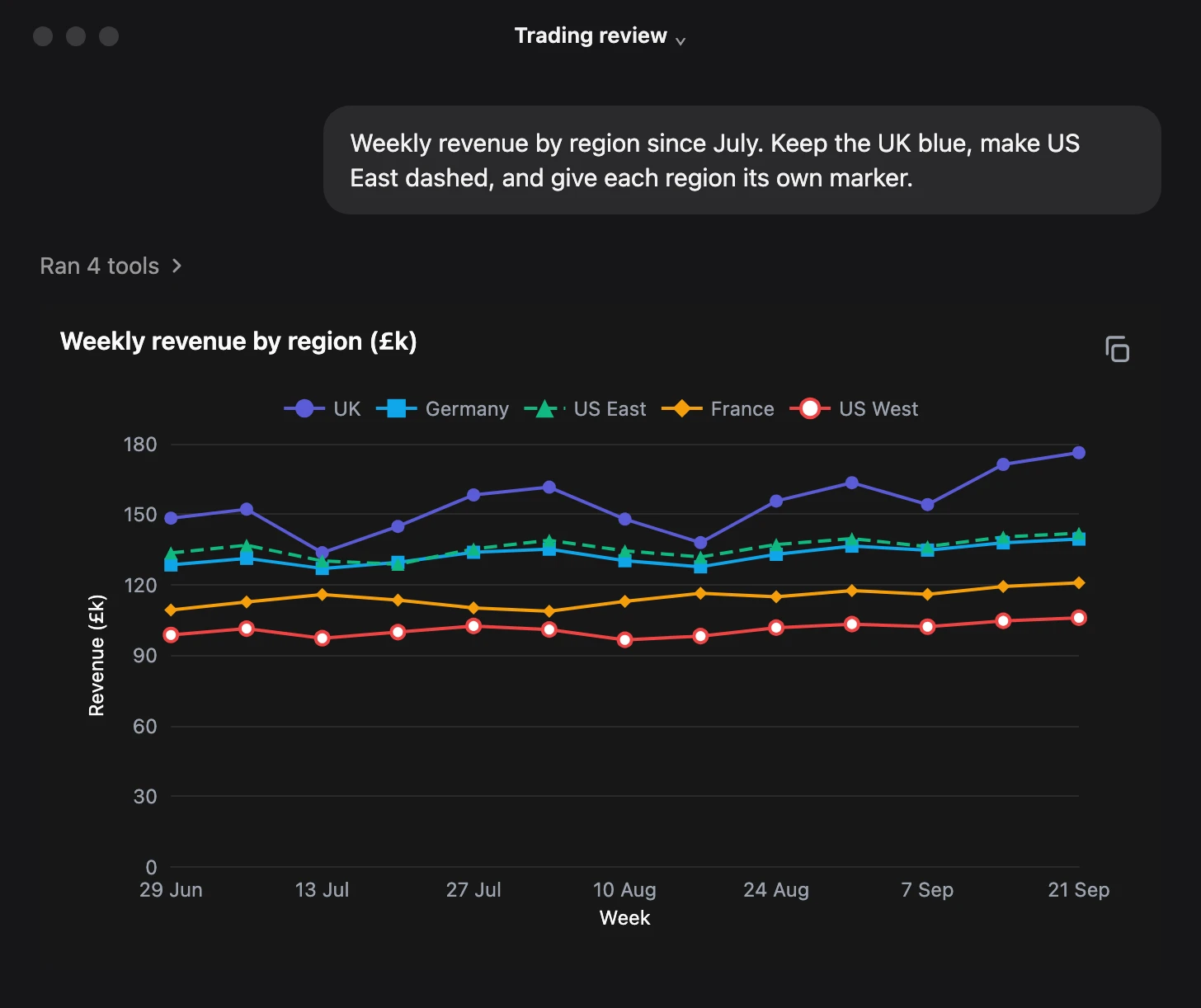
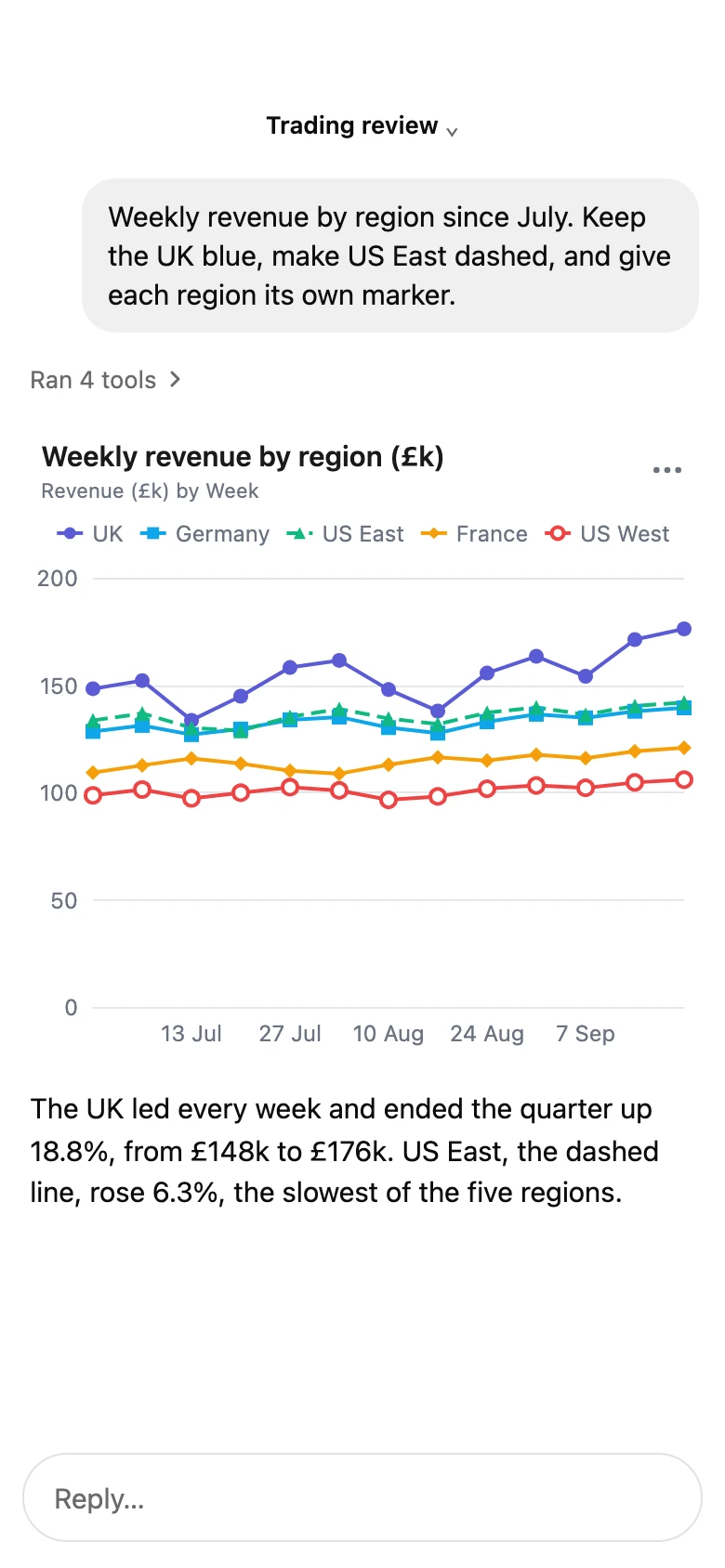
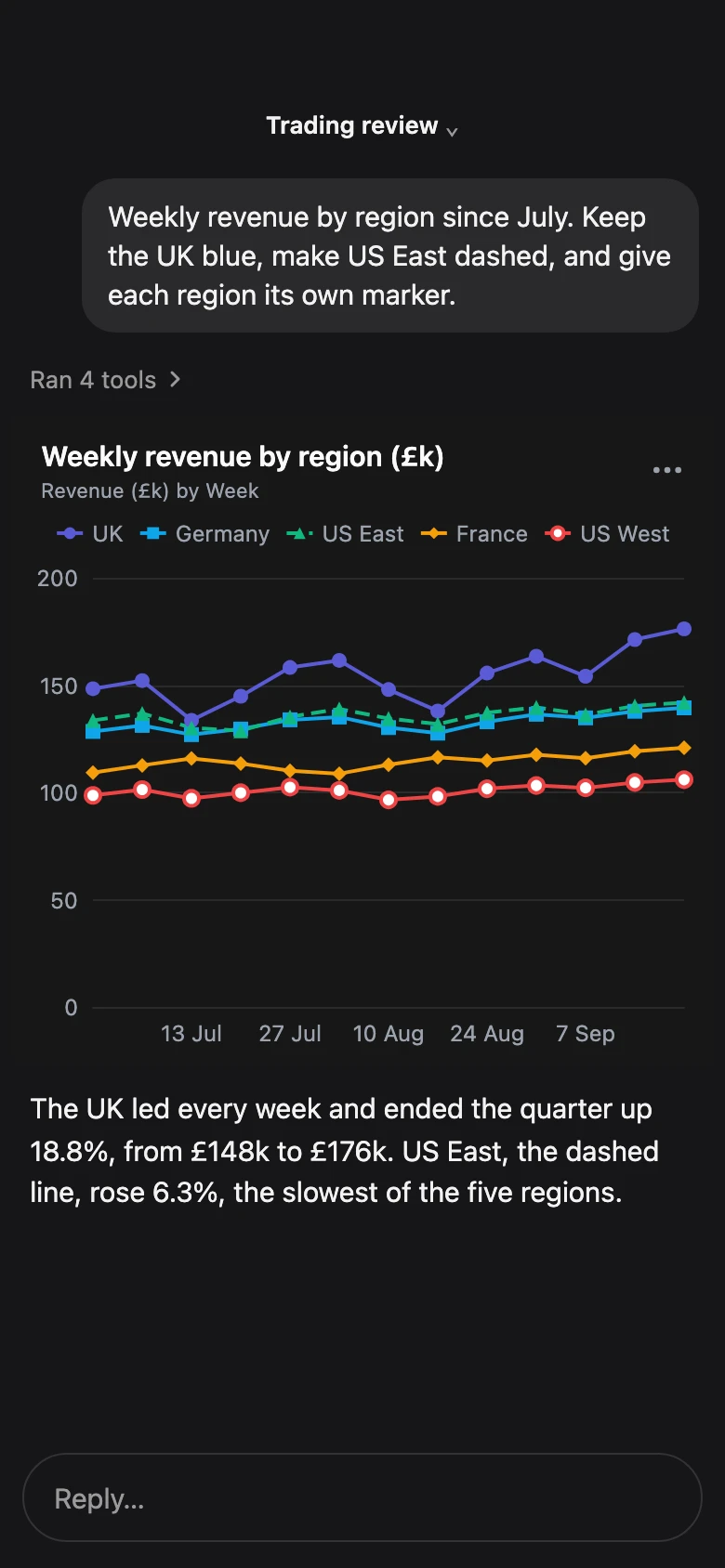
Styled series. Your colours, dashes and markers.
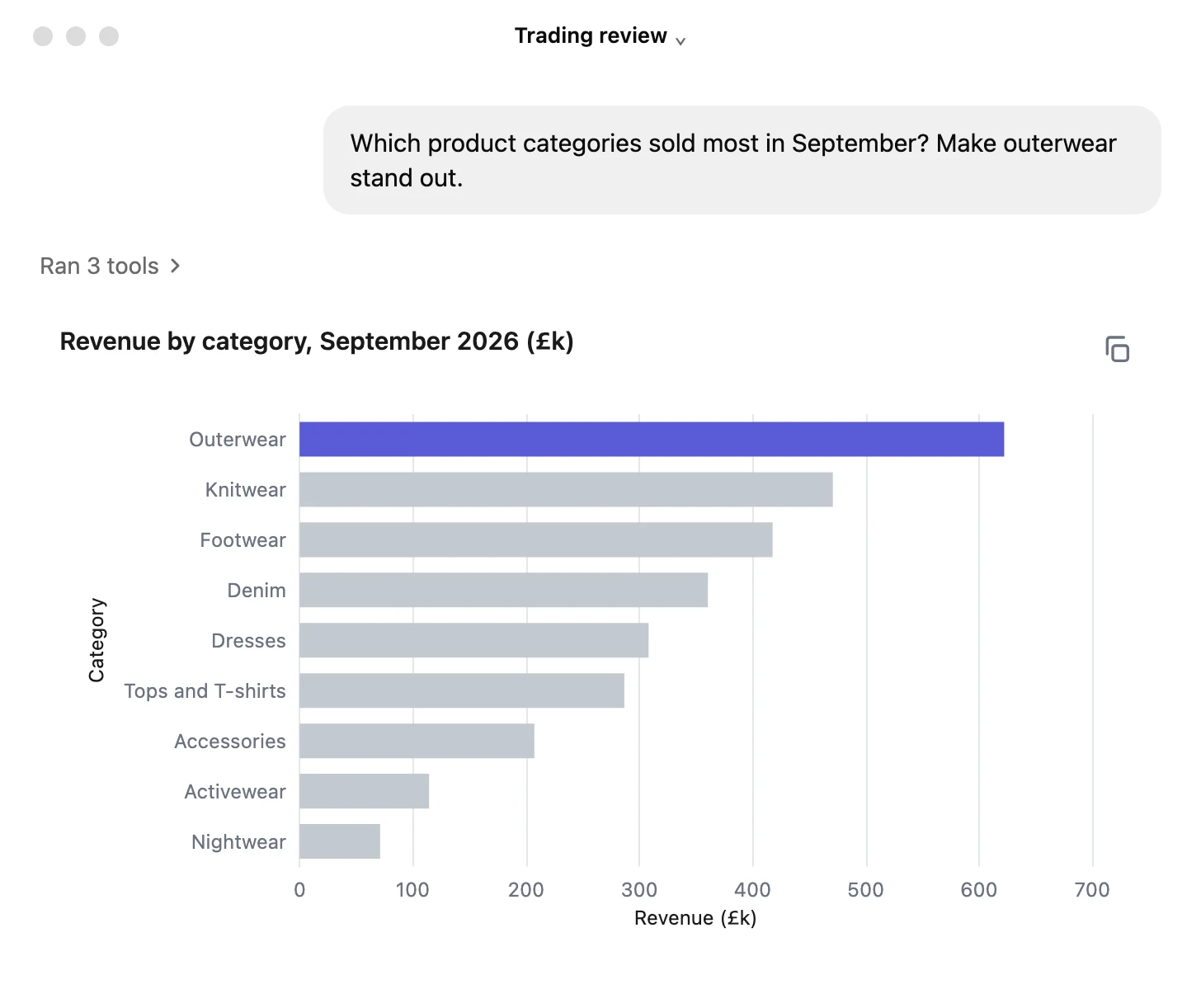
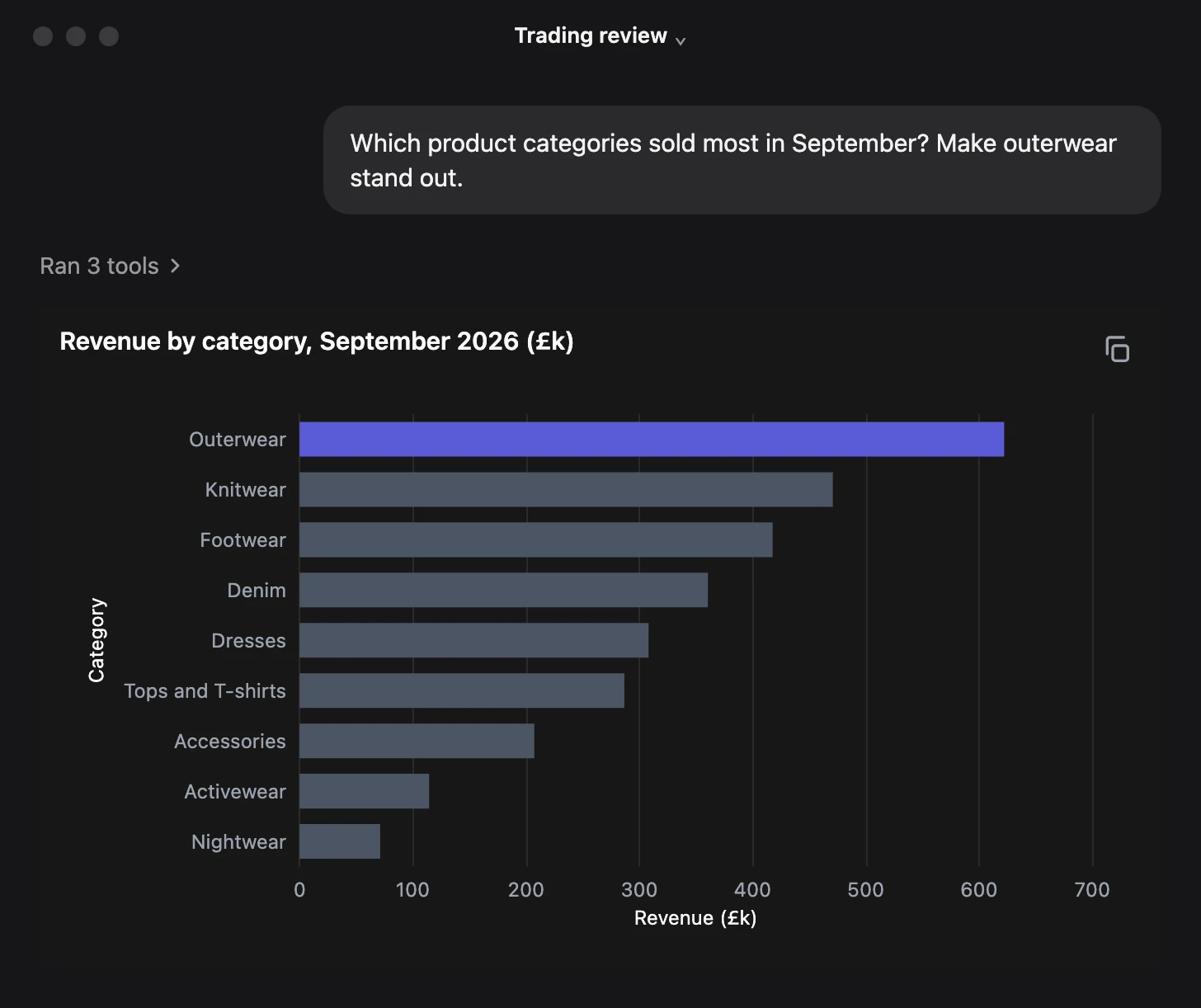
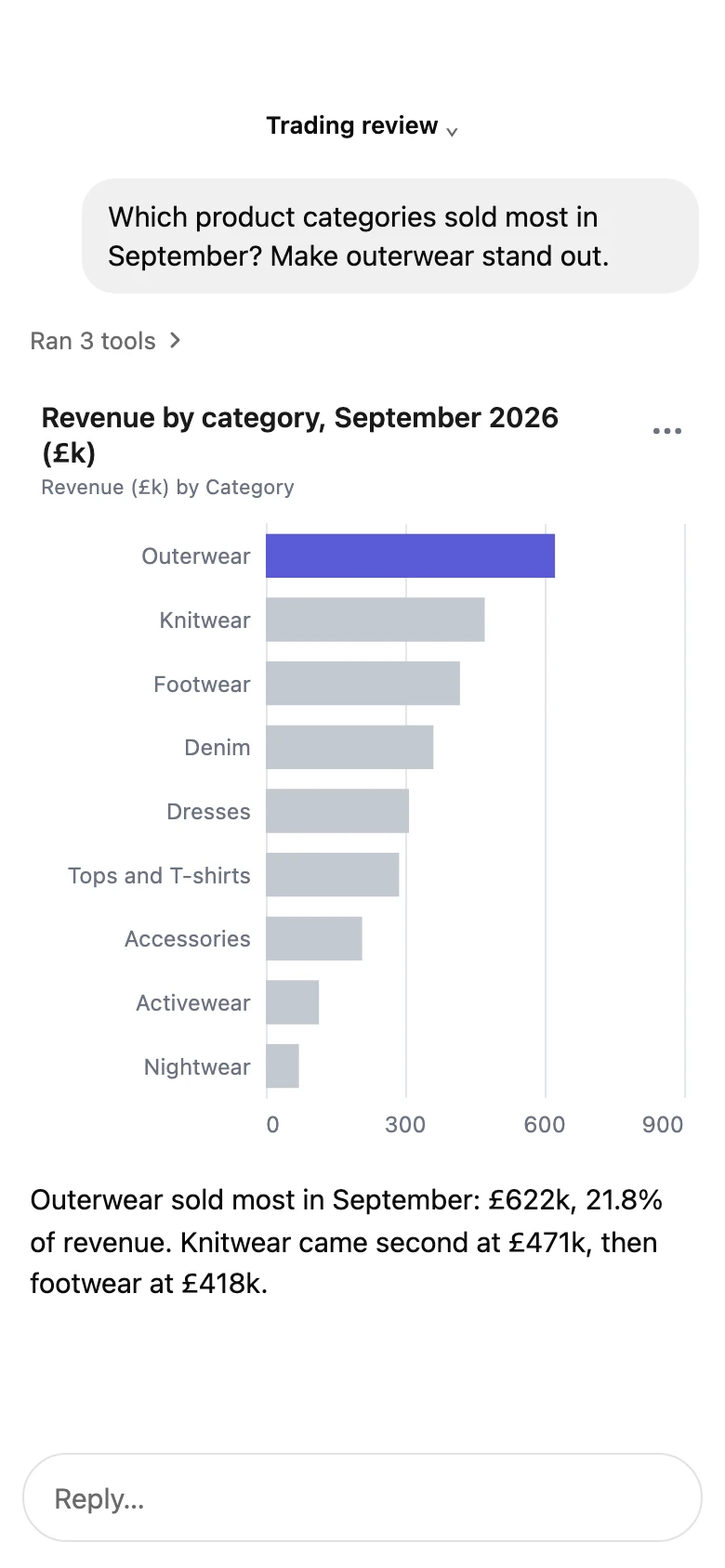
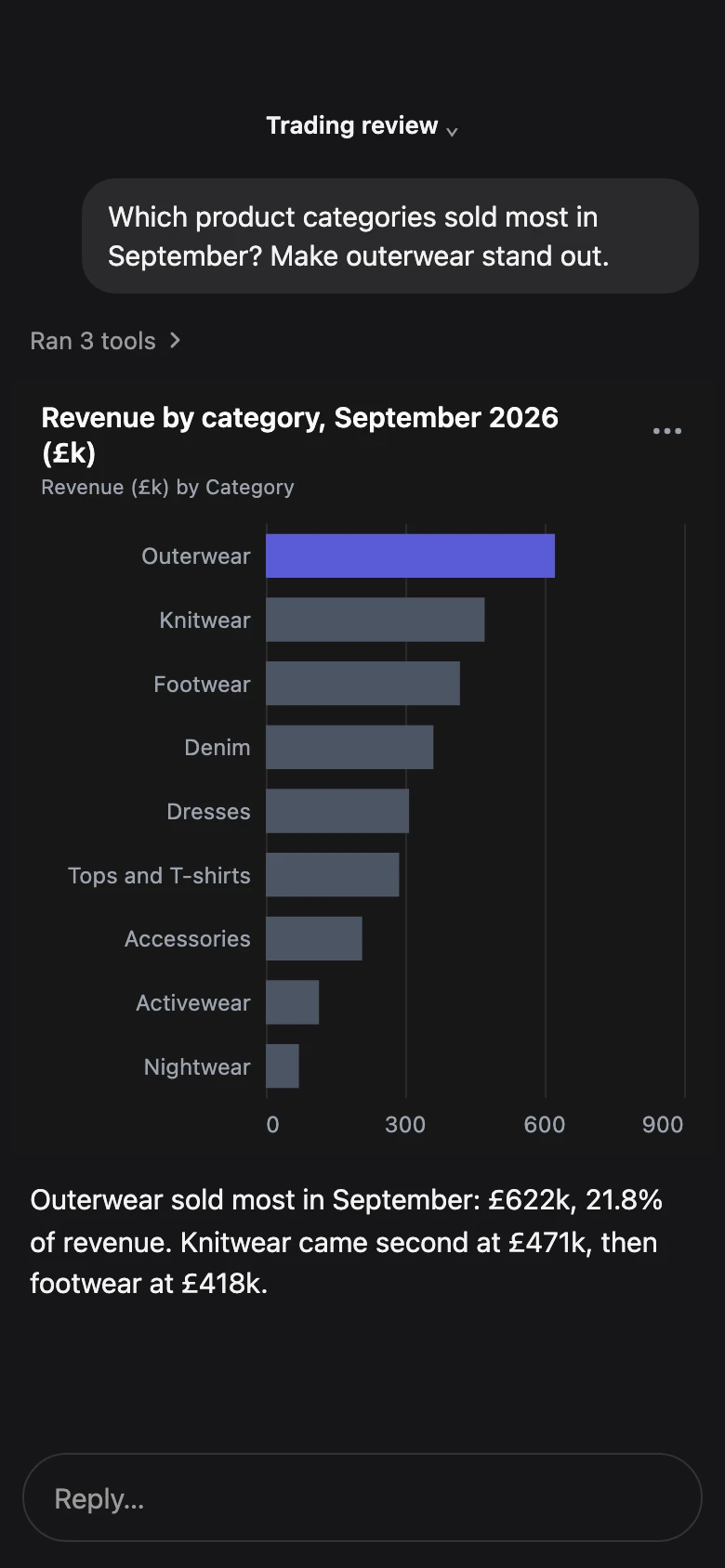
Highlights. Up to three series in colour.
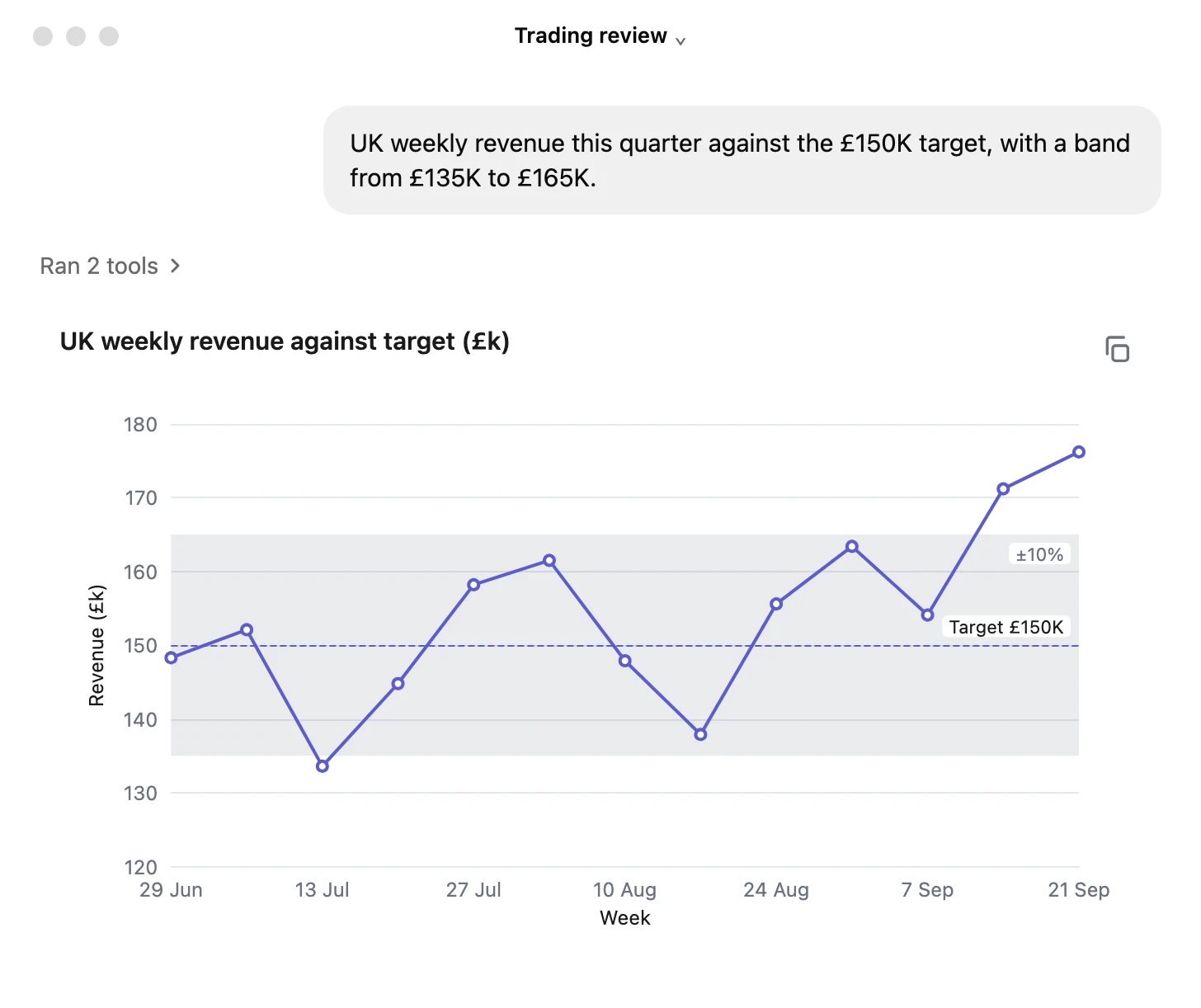
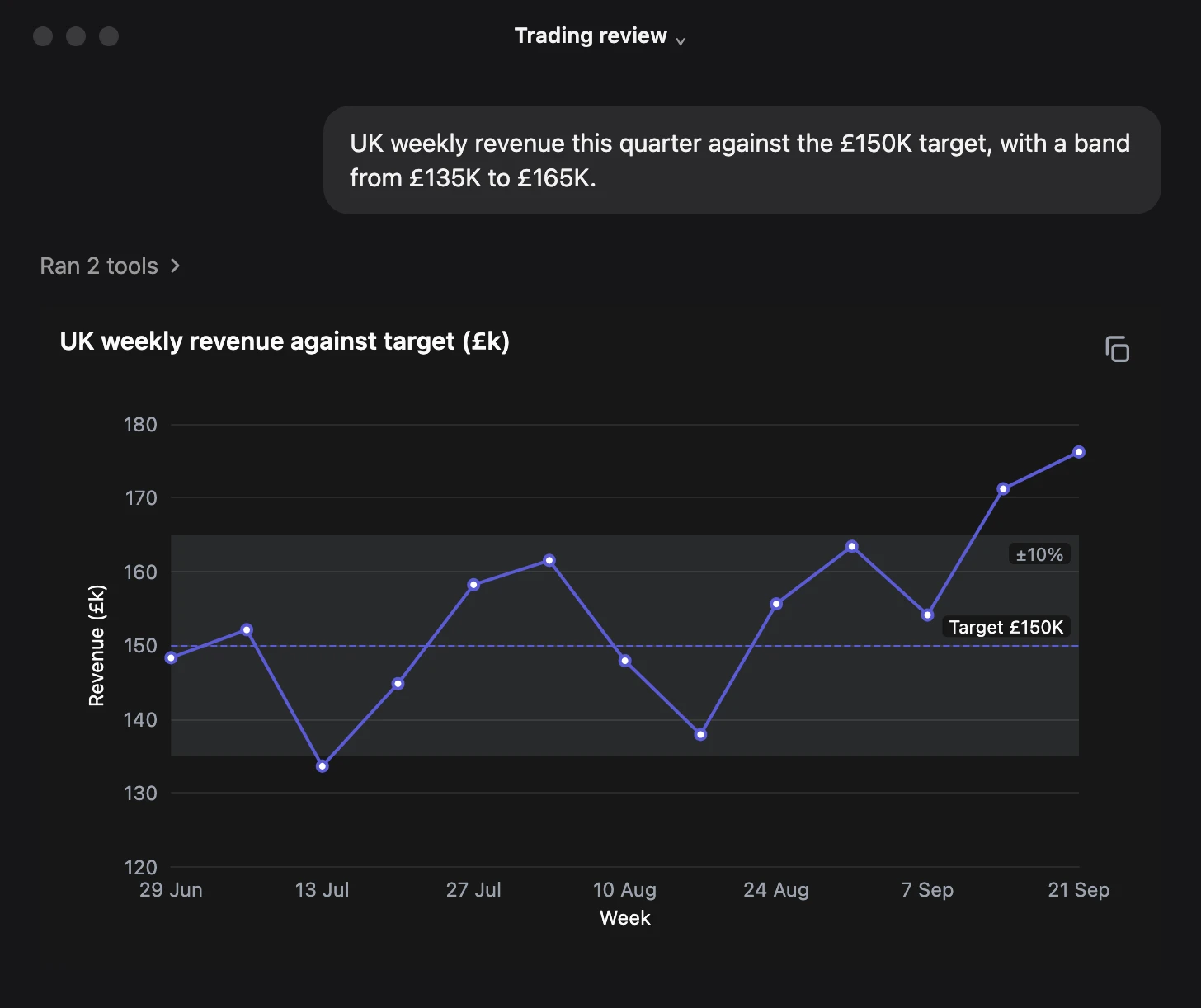
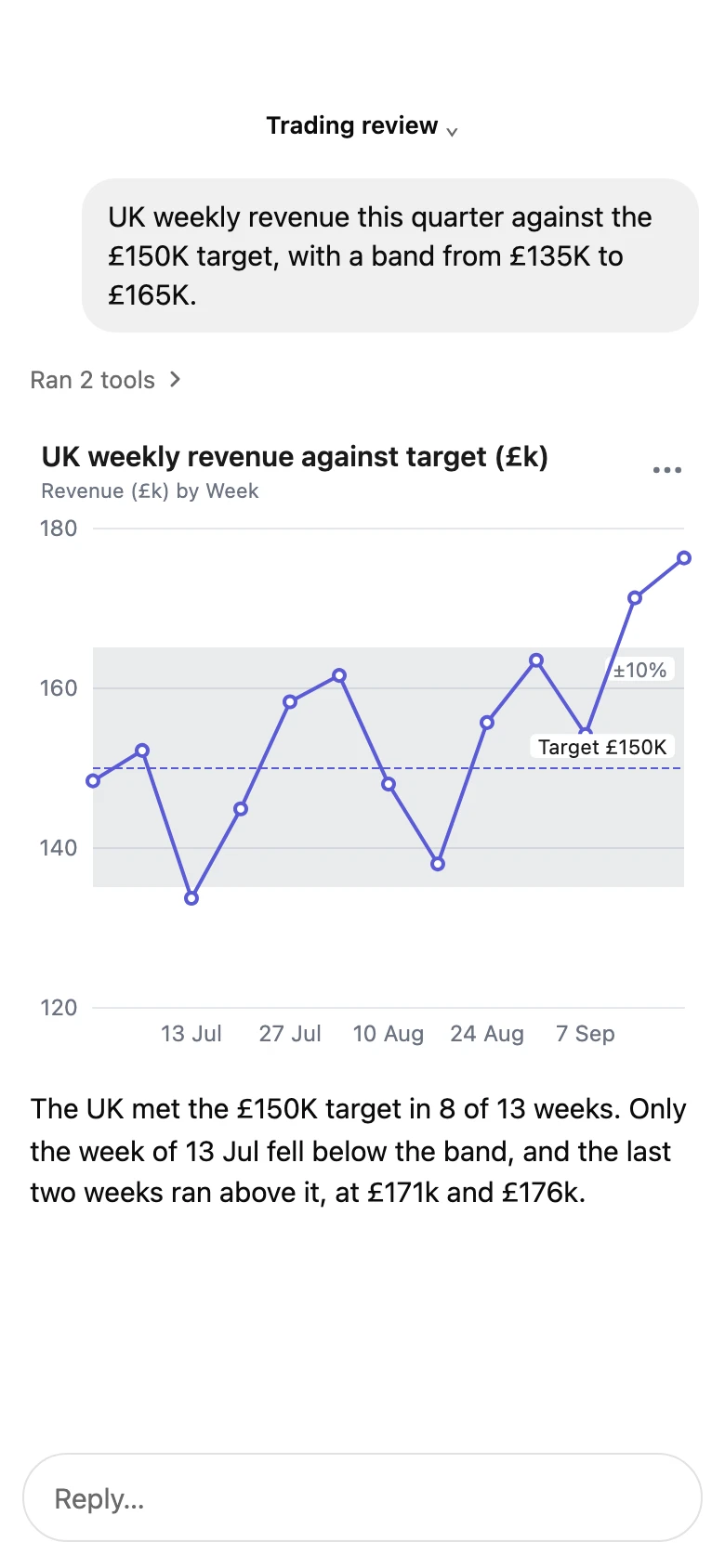
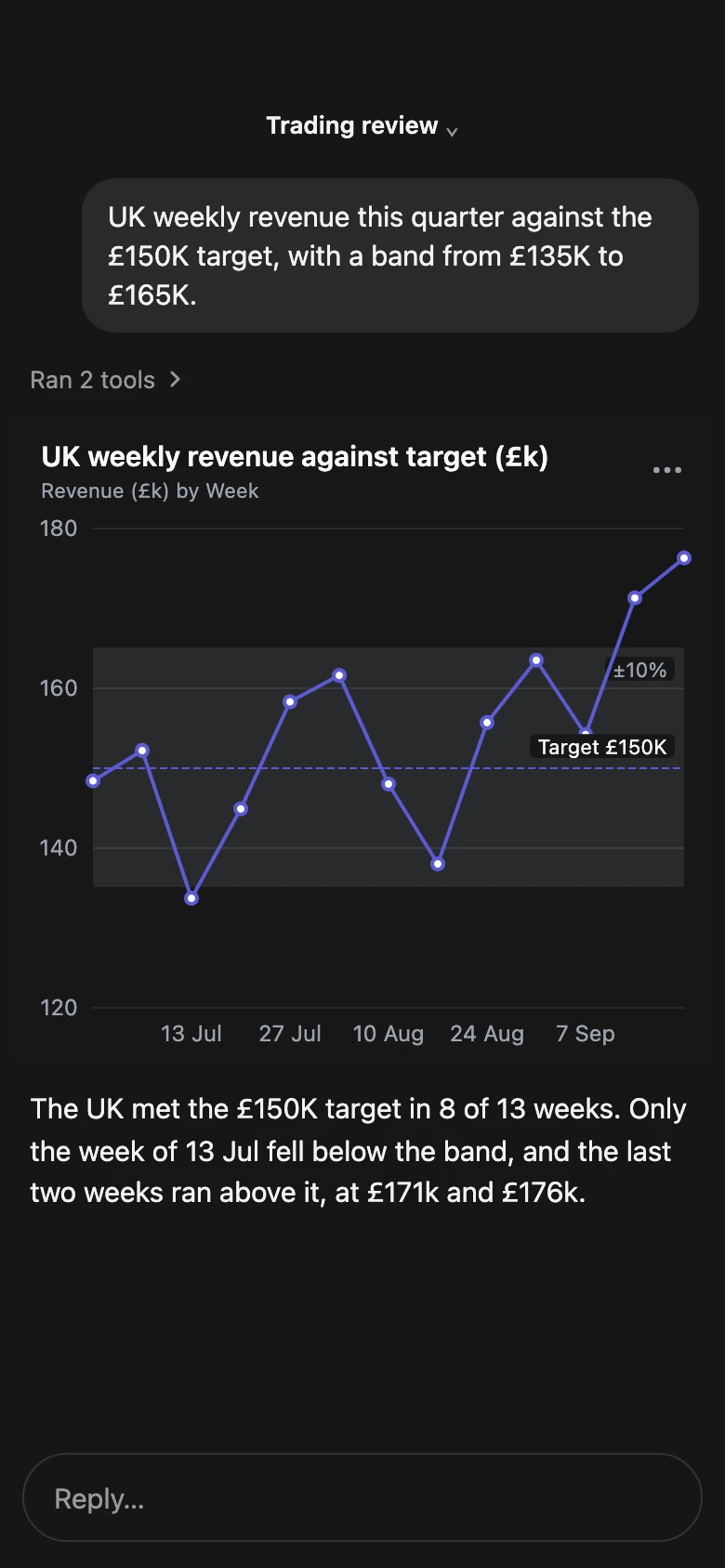
Targets and bands. Targets, bands, averages, medians.
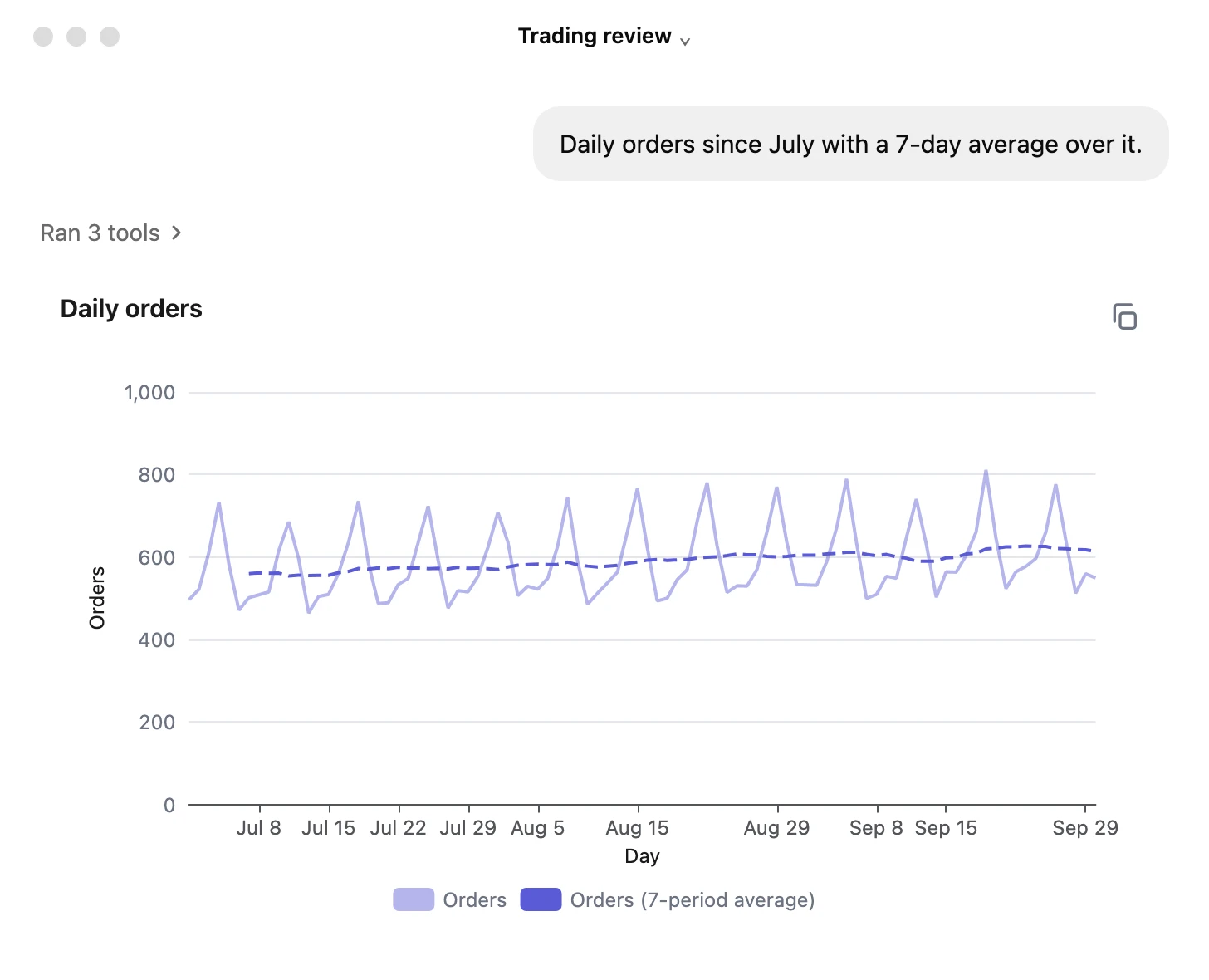
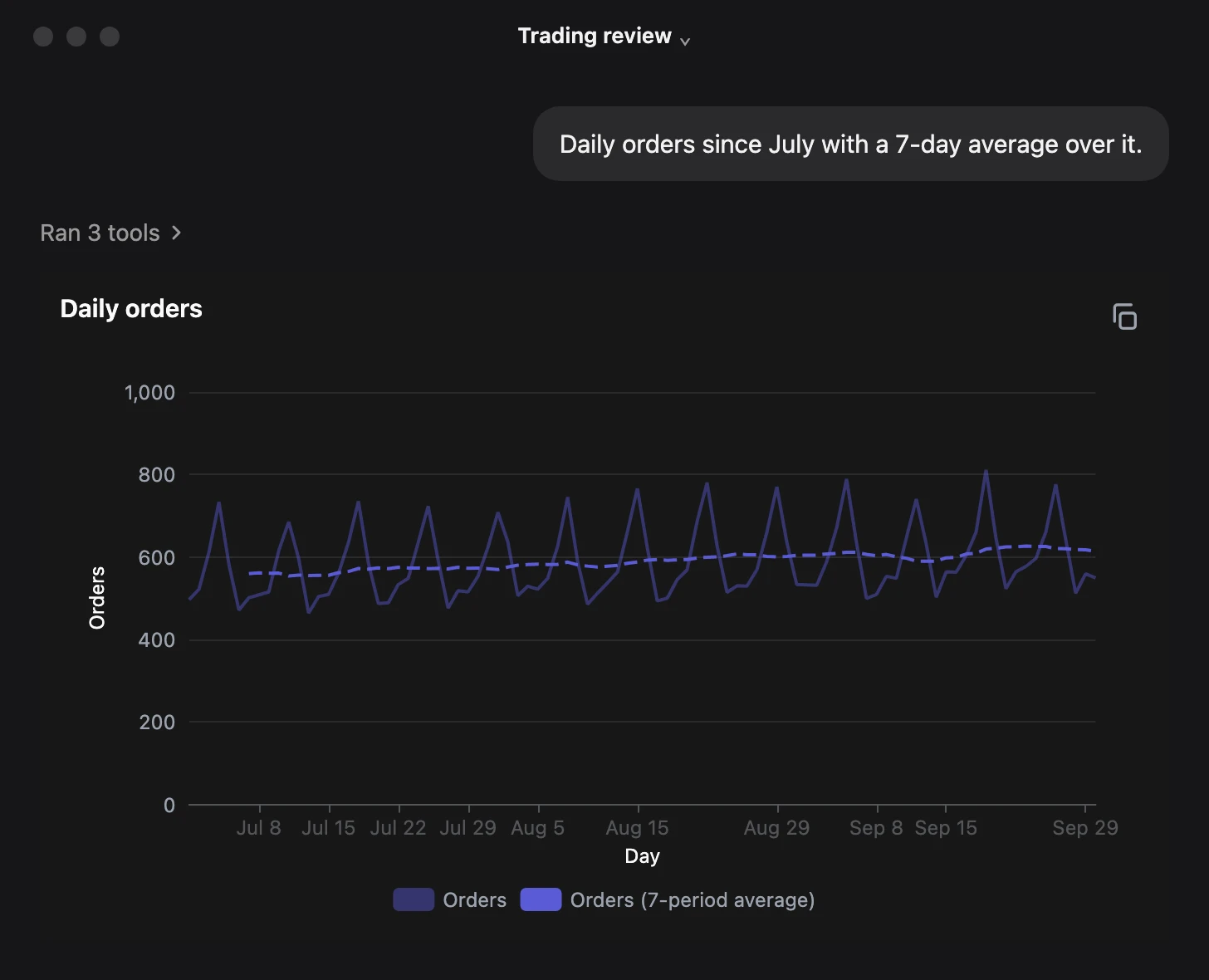
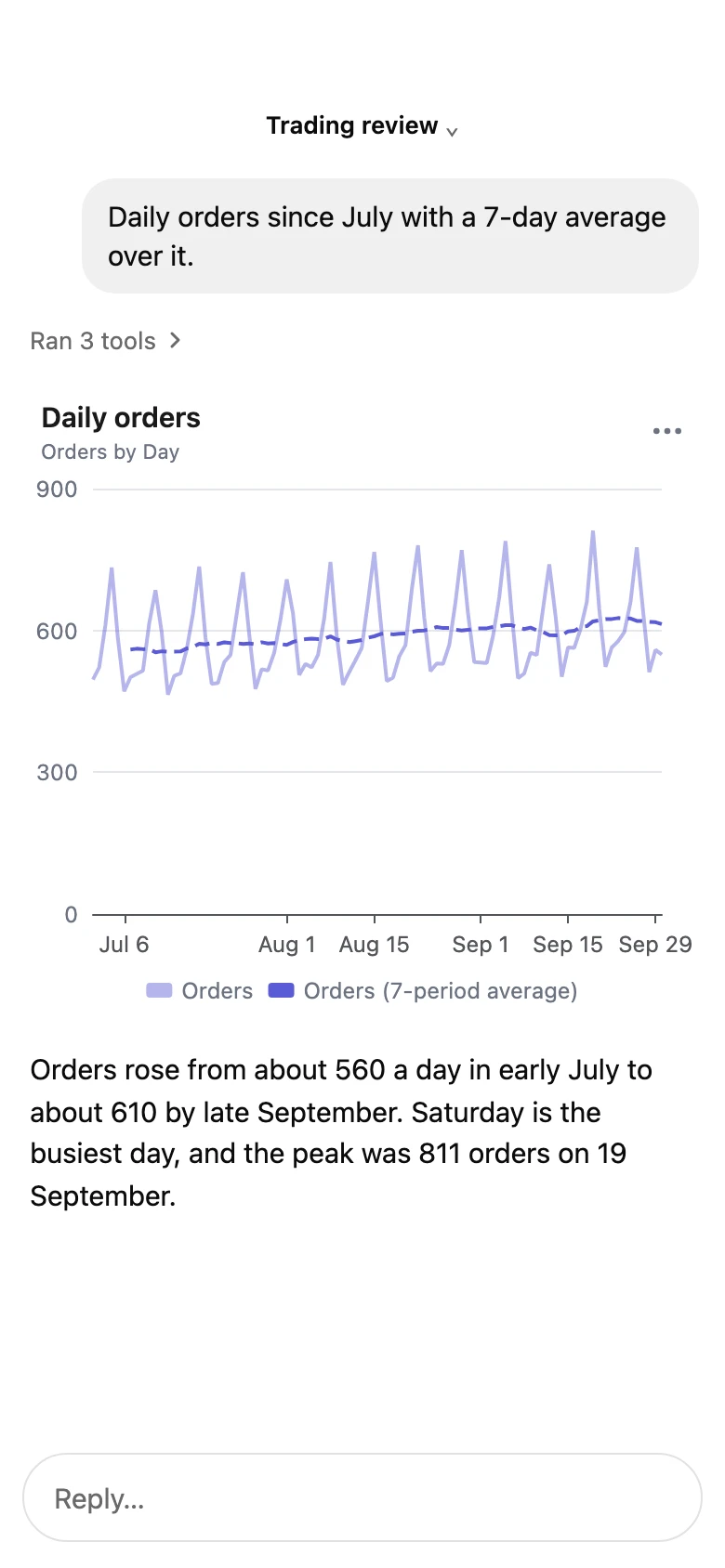
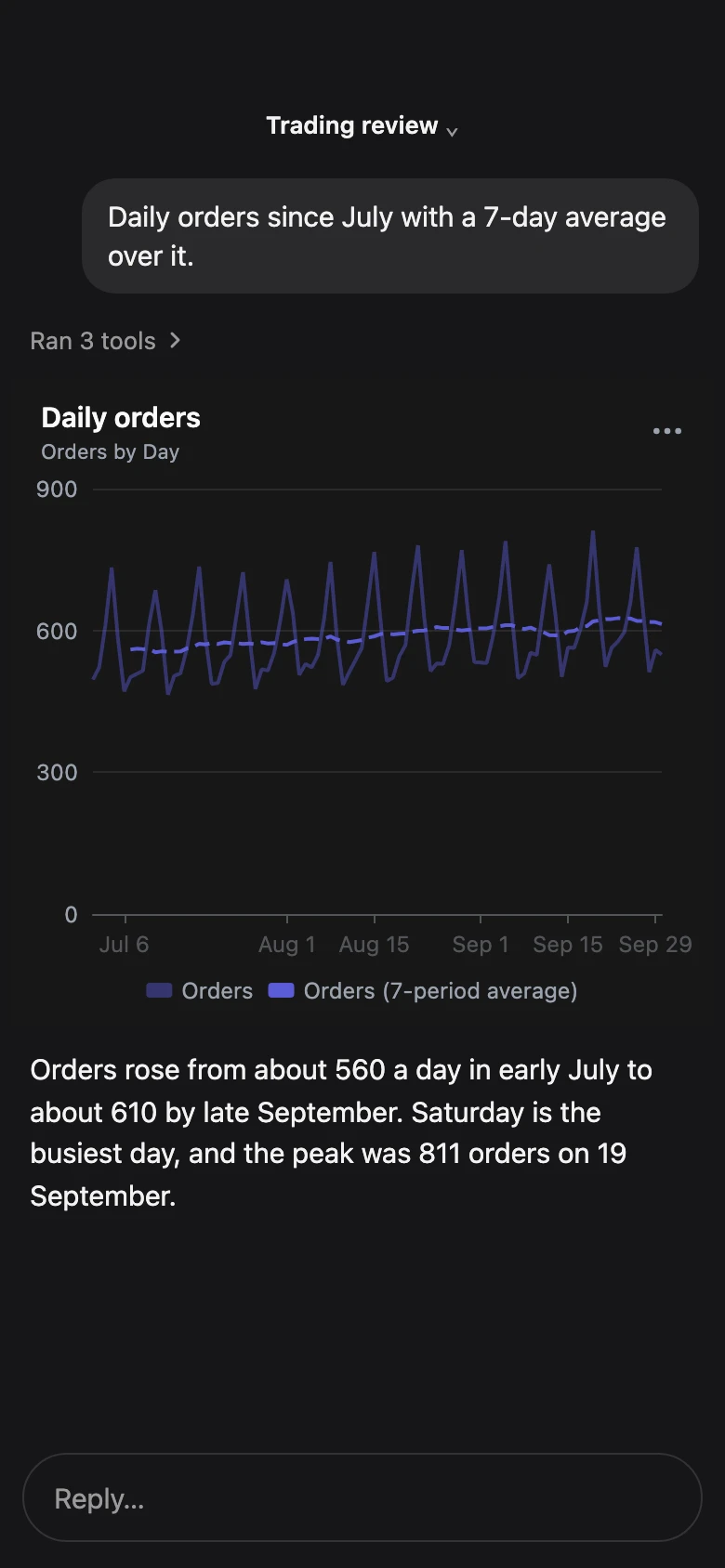
Trends. Trend lines and moving averages.
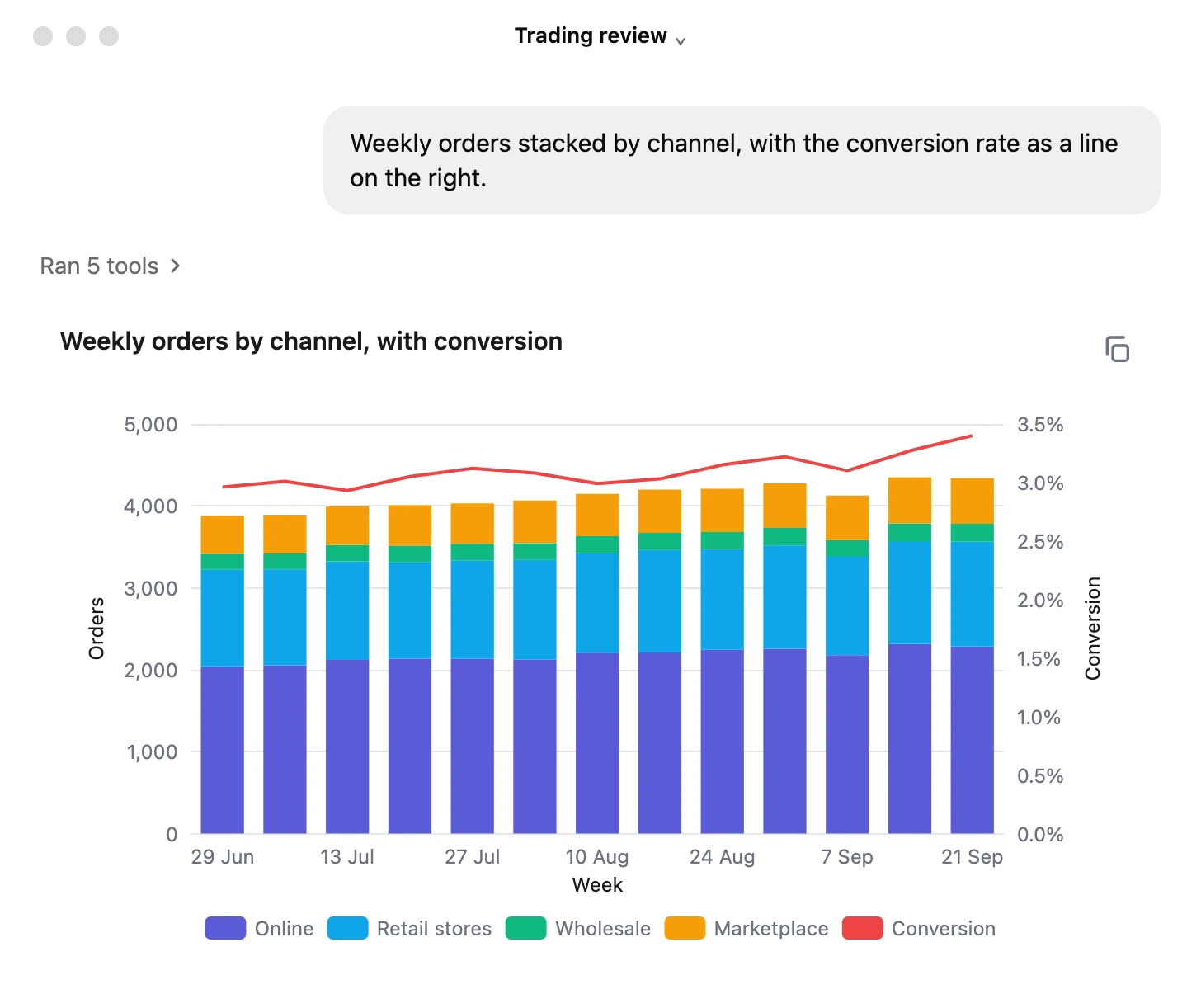
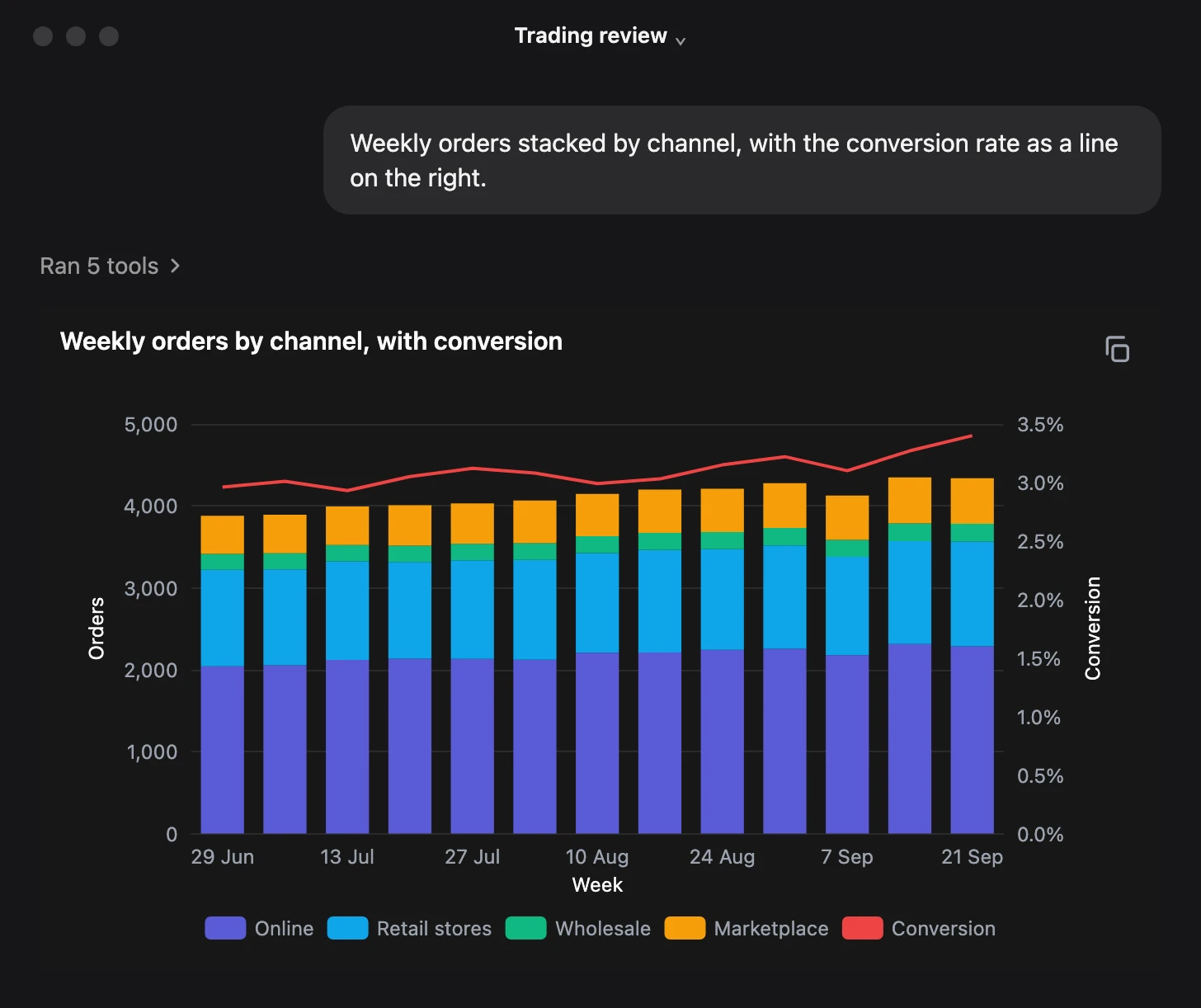
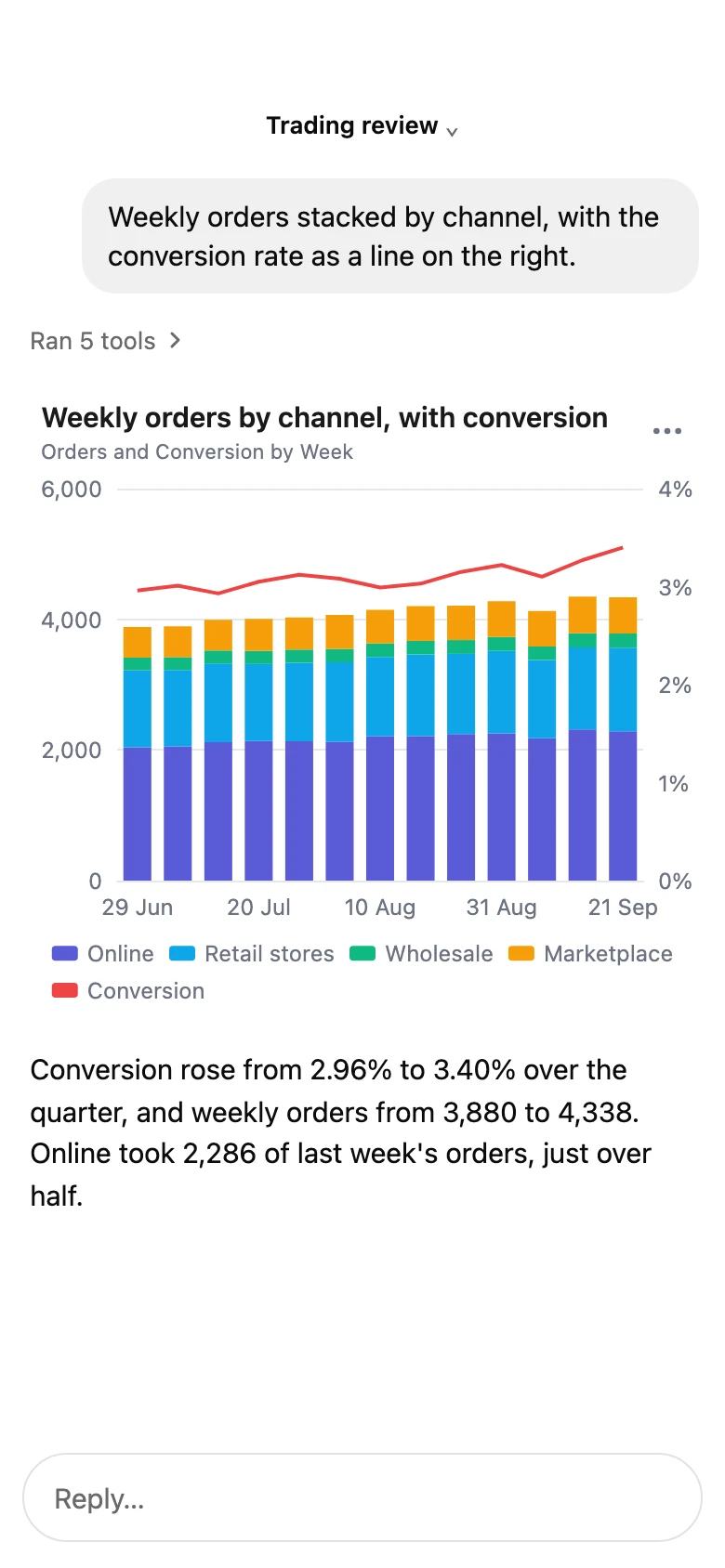
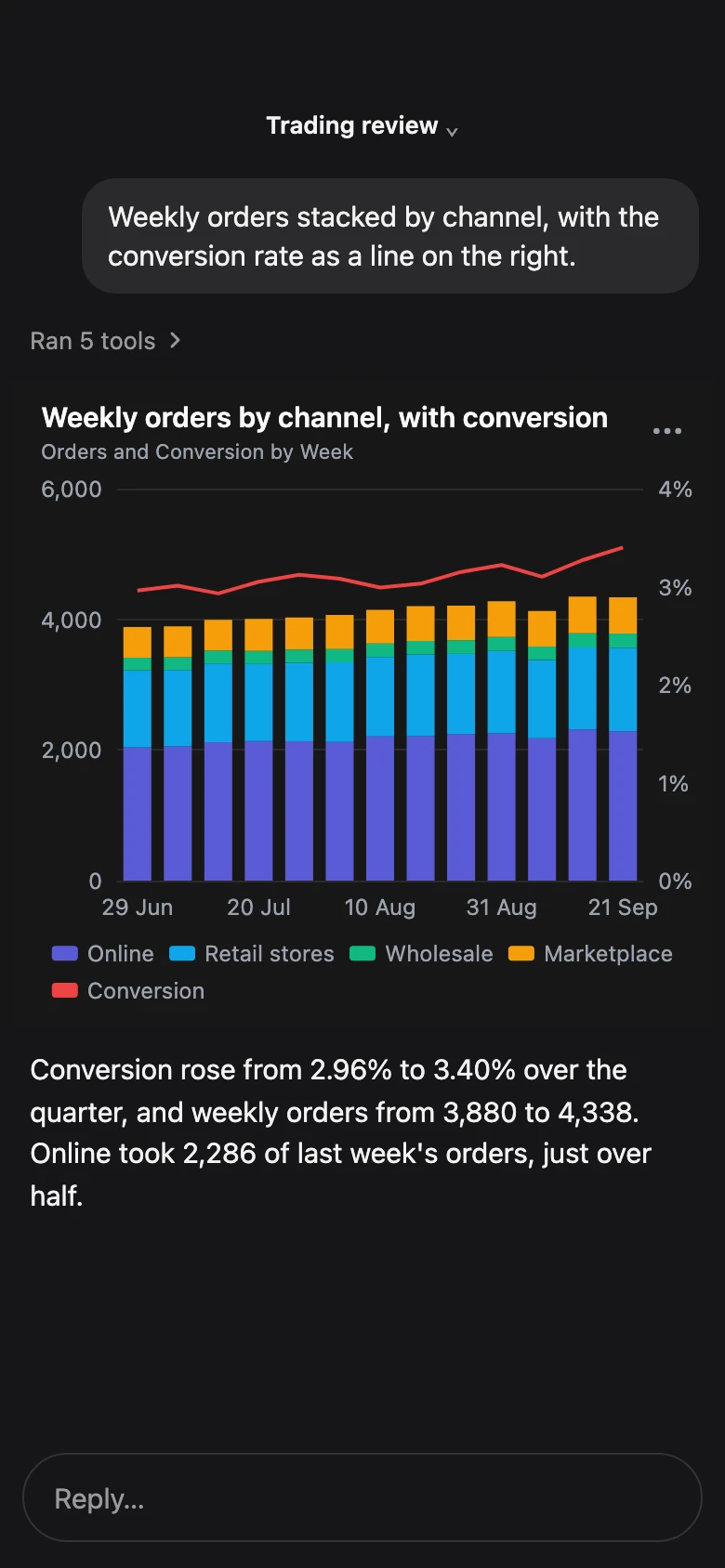
Bars with a rate. A rate on its own right-hand axis.
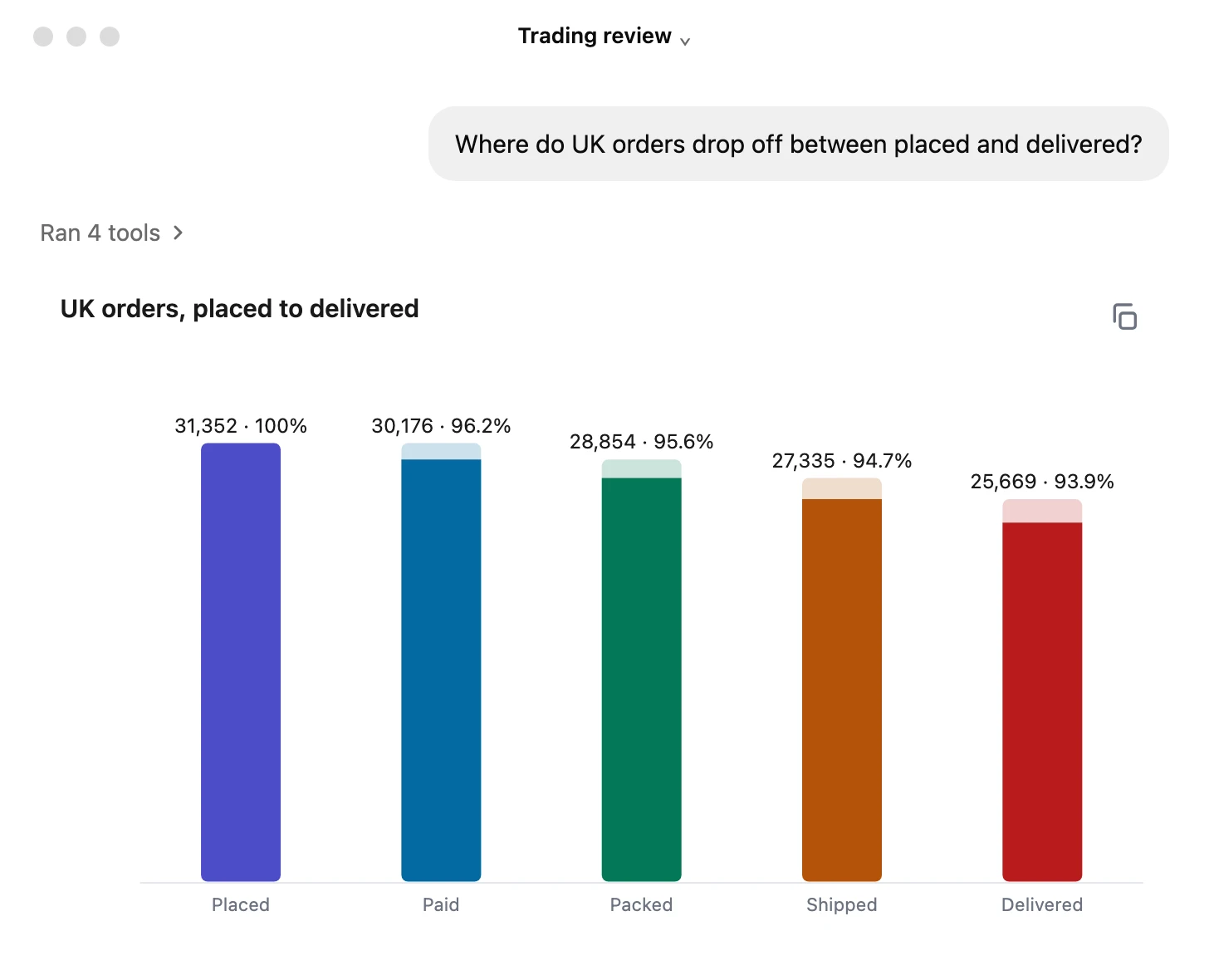
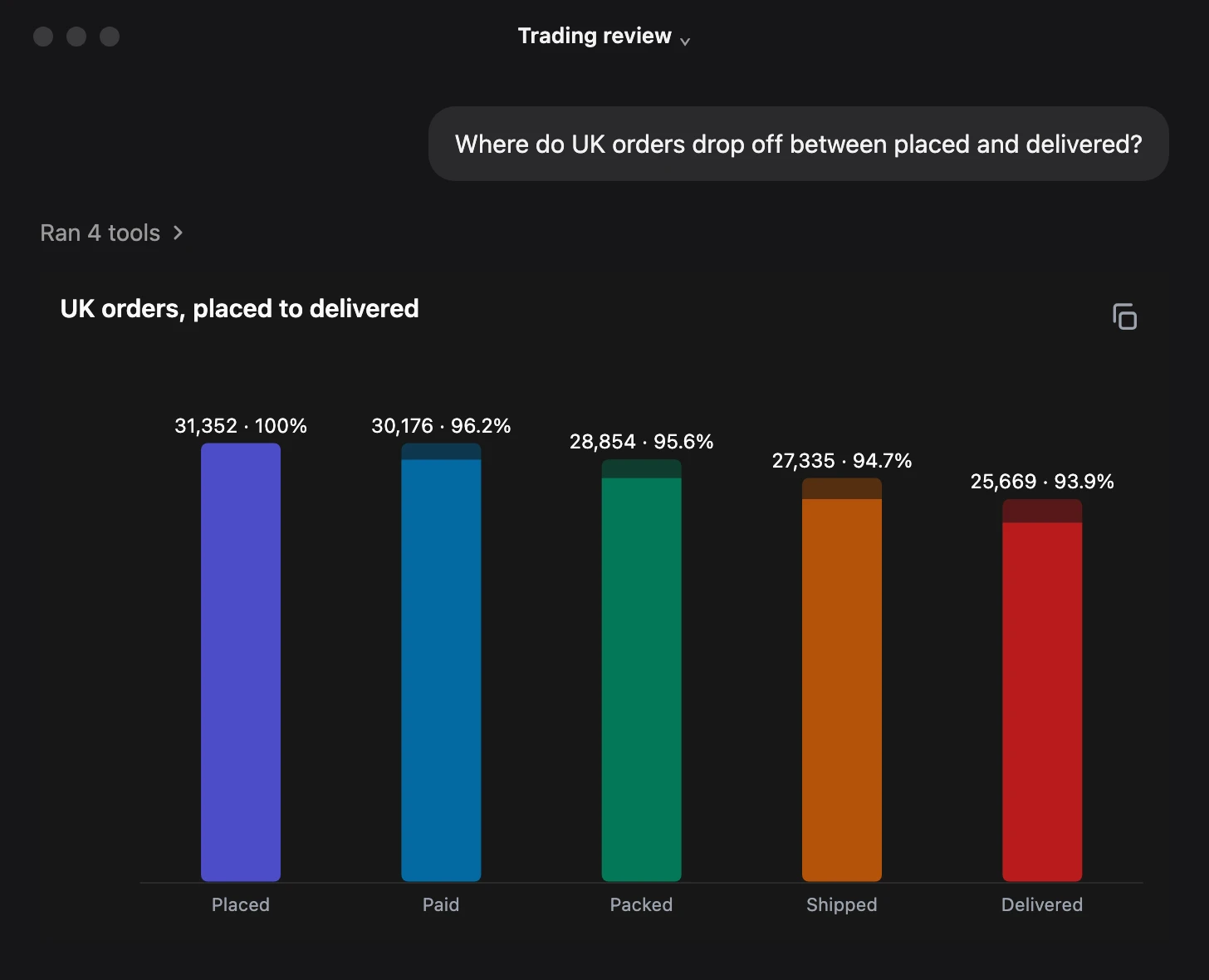
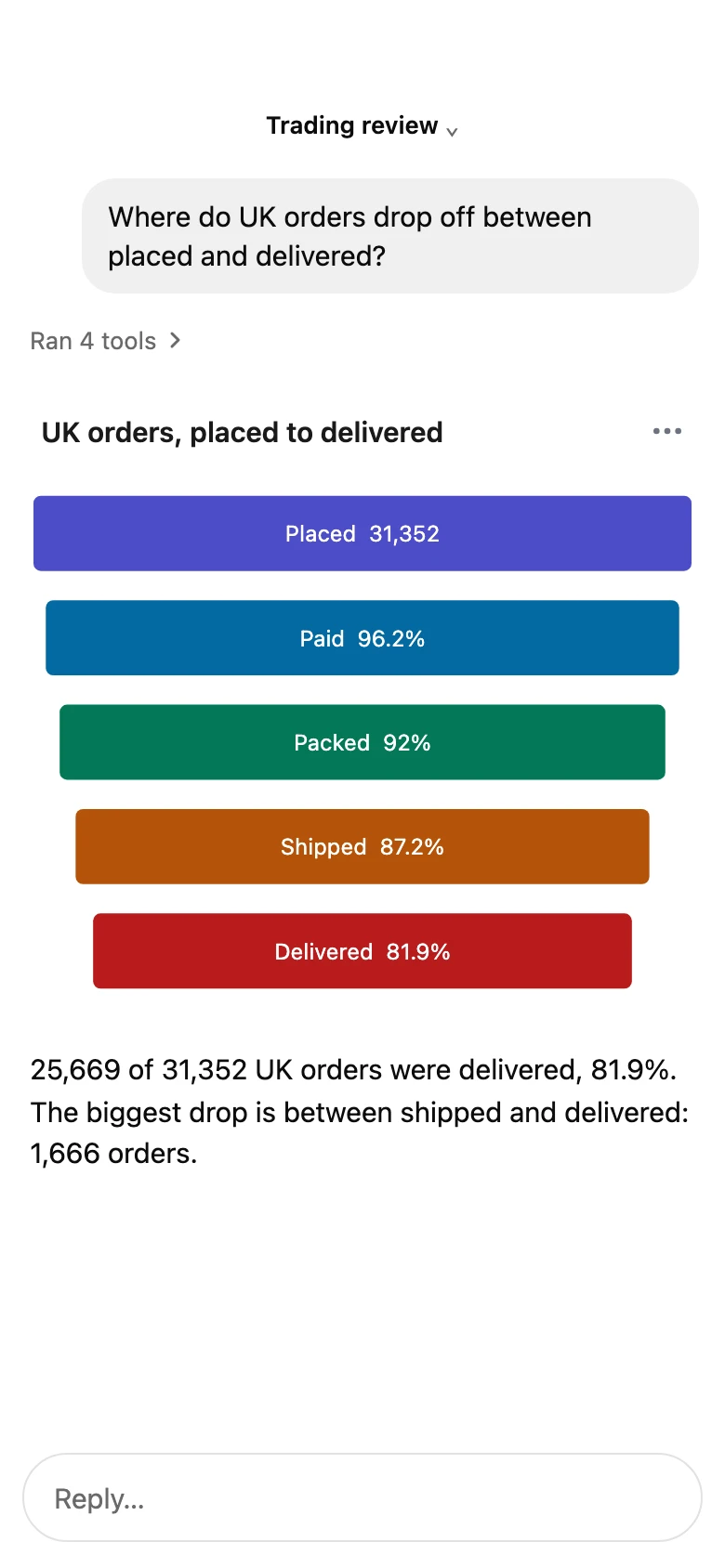
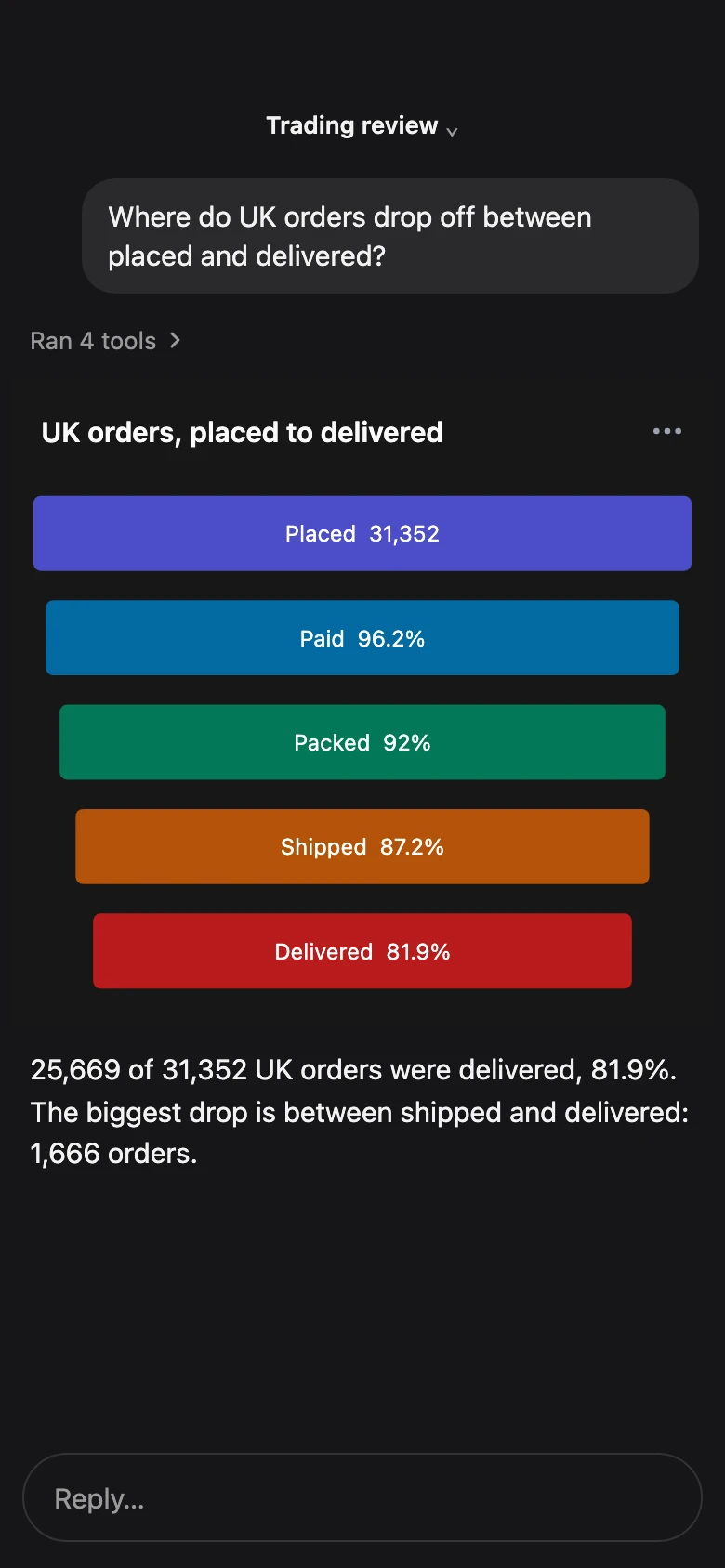
Funnels. Where orders or signups drop off.
The request never reaches you
Business users answer their own questions in the client they already have open, so the ask stops arriving in your queue.
Scoped to the app you publish
Pick each app’s tables and tools. Your database grants set what it can read.
Unlimited users on every tier
Every plan carries unlimited users, apps and database connections, so opening this up to the whole company adds no seats.
A BI toolkit built for AI
Let users query and share without leaving their AI client.
- Queries and visualisations. Query and visualise your data directly from the AI client you already use.
- Workflow tools. Bonnard slots into your existing workflow, letting you create, view, download and share your data without leaving your AI client.
- Dashboards. Describe a dashboard, then save and share it by link.
- Exports. Save any result as CSV or PNG.
- Edit in Bonnard. Edit saved dashboards in Bonnard’s web app.
- Desktop and mobile. Query and view your data on desktop or on your phone, wherever you’re working from.
Data sources
Context you already wrote
The agent reads the descriptions and keys already in your database.
Connected read-only
PostgreSQL, BigQuery, Redshift, ClickHouse, SQL Server and more. One per app.
A sample database to start
Try charts on a hosted shop database in one click.
Credentials encrypted at rest
Bonnard stores connection credentials AES-256-GCM encrypted and keeps API keys only as SHA-256 hashes.
Four steps,
no engineering
Connect your data
Databases, warehouses and PostHog, connected read-only.
- PostgreSQL
- BigQuery
- Redshift
- ClickHouse
- MotherDuck
- MySQL
- MariaDB
- SQL Server
- Azure SQL
- PostHog
Create an app
Choose the tables it can see and the tools it offers: charts, dashboards, exports.
Choose the audience
Your team, all your customers, or the ones you name.
Share the link
Users connect from the AI client they already use.
Monitoring
From call log to data model
Failed queries show where your data model needs work.
- 1m ago
sql_queryok61msSQL
SELECT week, channel, SUM(revenue) FROM orders GROUP BY week, channel - 1m ago
render_chartok38ms - 2m ago
explore_schemaok40ms - 4m ago
sql_queryerror30,000ms - 6m ago
sql_querydenied22ms - 7m ago
render_dashboardok112ms - 9m ago
explore_schemaok44ms
Every call, with who and when
Bonnard records every tool call with who ran it, when, which tools ran and what failed, per app and per customer.
The calls that failed
Failed and denied calls sit in the same log as the answered ones, so a gap in the model reads as a pattern.
Answer who queried what
Every query, per app and per customer, with no logging layer to build.
Security
Permissions that travel with your data
Each query runs as one customer, under the tenancy you already use.
Tenancy set per database
Row-level security, or a schema, database or dataset per tenant.
Your IdP decides the tenant
A sign-in through your identity provider maps to the right tenant. Scale and Enterprise plans.
An audience per app
Anyone outside it is refused, and each refusal is logged.
Put your data team back on the work that matters.
Free while you find out whether it sticks. No seats, no minimums, no card to start.